Atılım University Web and VectorCMS
institutional web · content management · Atılım University
summary
The site in use since 2018 had grown into a structure carrying the content of more than 300 units and getting harder to manage; tens of thousands of items and addresses linked from outside for years had to survive.
Preserve first, then improve: a panel built for the institution (VectorCMS) and a new site with two themes (v2, v3), keeping old addresses and content IDs; every step with tests and a rehearsed migration.
A panel shaped by 12 roles and 151 permissions, a migration plan that carries about 25,000 items without loss, about 1,000 automated tests and a codebase that passed independent audits.
Context
The university's website, in use since 2018, carried the content of 313 units, from faculties to student clubs: about 4,500 pages, 6,000 news items, 9,700 announcements, 4,600 events, 1,358 staff profiles, 196 academic programmes and 7,400 courses. As it grew, it became harder to manage.
The request came from the Directorate of Corporate Communications and Promotion; the server, database and access were set up on the DevOps side. Everything in between, product and interface design, front-end and back-end development, data migration, testing, security fixes and documentation, was my work; I am the only developer writing code for the project.
The problem
- Scattered content management. Units used the same system, but permissions, content structures and publishing habits differed. Rules such as when an announcement expires or where a page sits in the menu changed from person to person.
- An ageing interface. Mobile experience, accessibility and page speed lagged behind current expectations.
- Connected systems. Staff data came from the institutional HR system, course and programme data from the ECTS database; both had to appear consistently on the site.
- What could not be lost. Tens of thousands of items, addresses linked from outside for years, search visibility and a file archive of about 50 GB.
Goals
- A fast, mobile-friendly, accessible site that fits the institutional identity.
- A panel that is easy to learn, forgiving (undo, version history, recovery) and shaped by permissions.
- A migration from the old site with no loss of content or addresses.
- A codebase protected by tests and cleared by independent security audits.
- Documentation the institution can maintain on its own.
Principles
- Preserve first, then improve. Old addresses, content IDs and the data structure were carried over intact; old links still working was an acceptance criterion ahead of any new feature.
- A single source. Instead of synchronising two databases, I decided the new system would be installed in place over the old database on migration day. The migration steps were rehearsed again and again on a copy of the old database.
- Staged environments. Every change passed through development, internal testing, institutional testing and production; feedback was collected at the relevant stage.
- Rules that come from users. Listing logic, such as announcement expiry, upcoming / past events and staff ordering, was shaped by feedback from units and with respect for the institutional hierarchy.
- Verifiable quality, small steps. Every work item shipped with tests; large plans were broken into testable pieces, and each piece was approved before moving to the next.
What was built
VectorCMS: a panel built for the institution
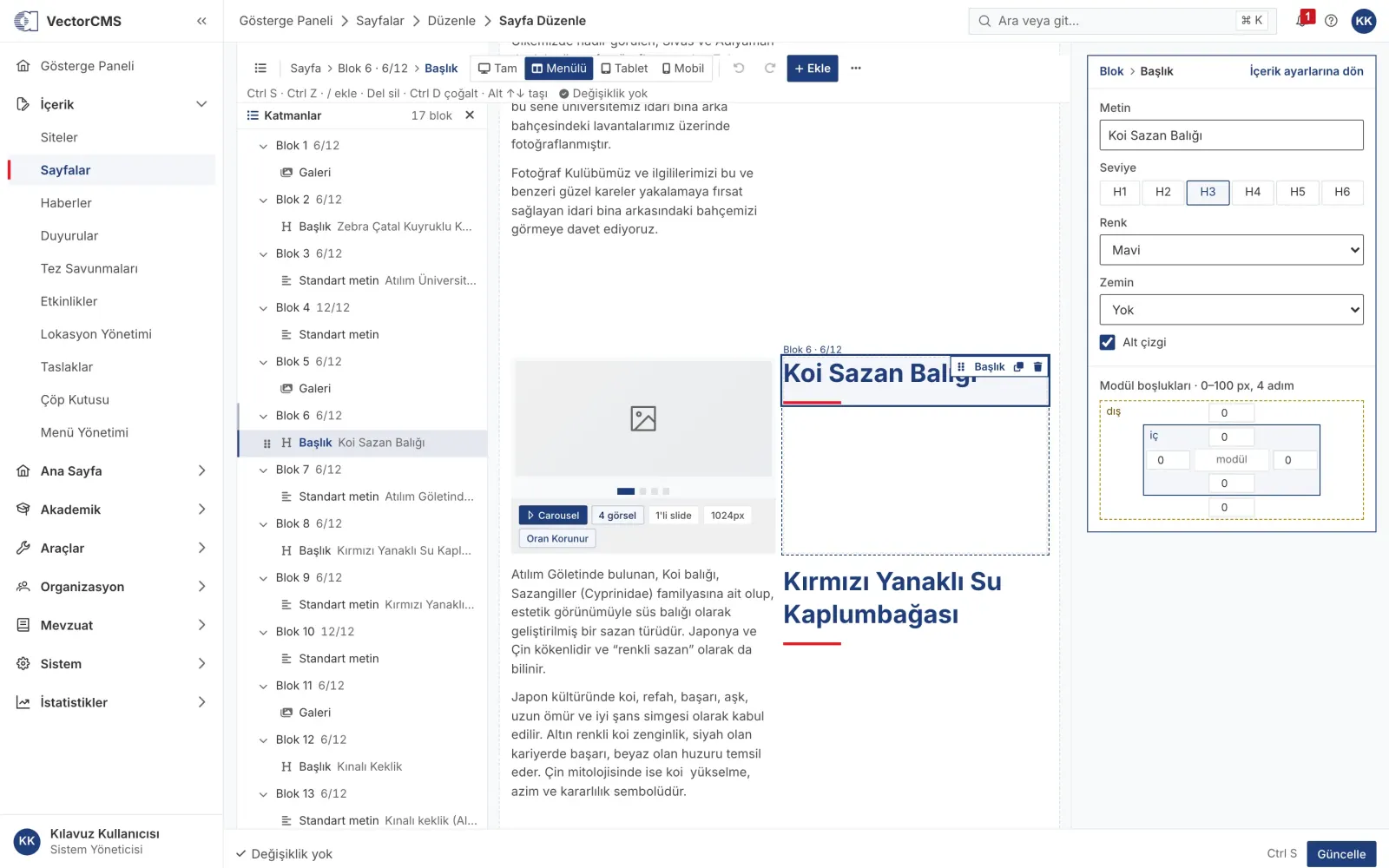
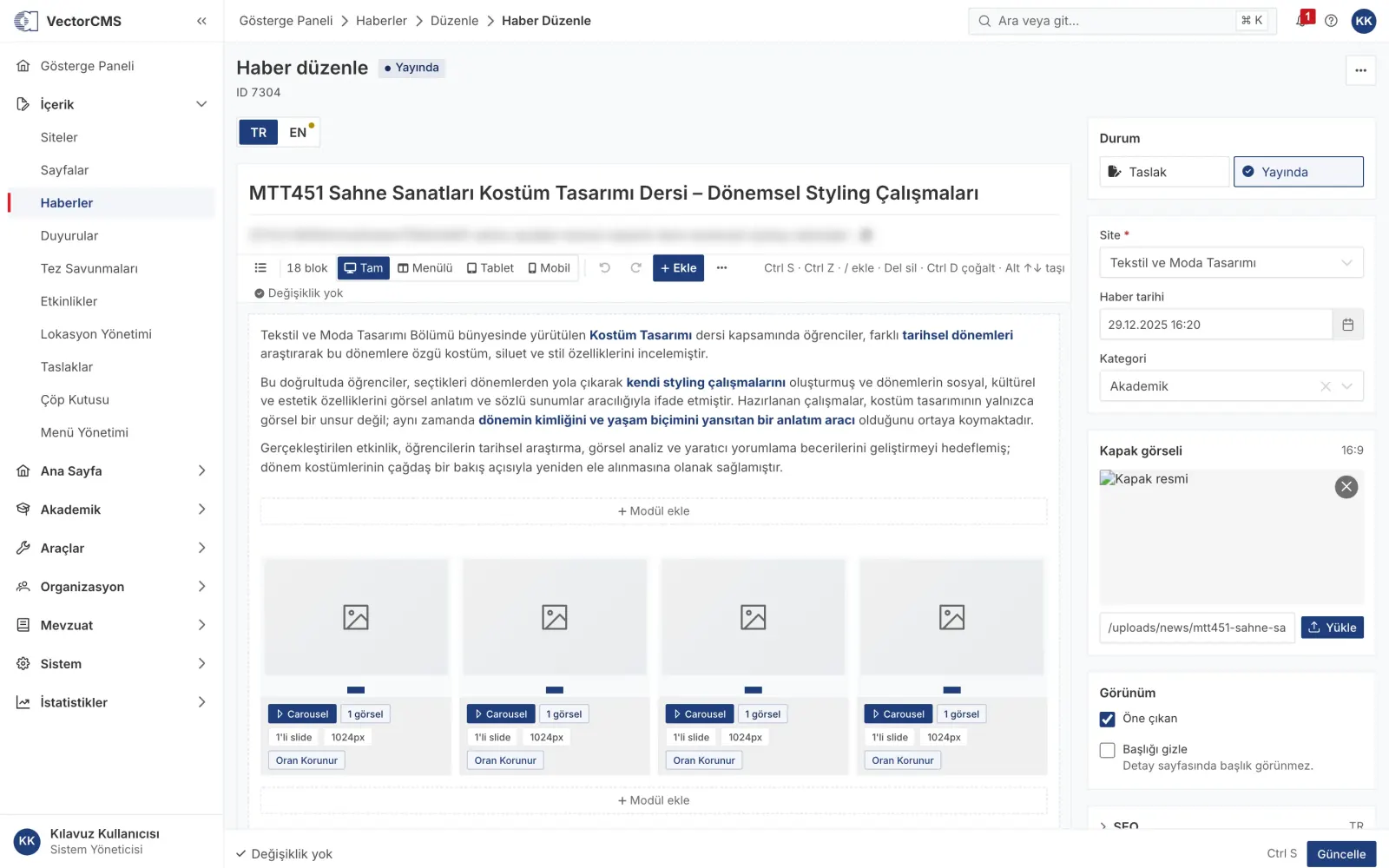
- Block editor. Content is made of blocks placed on a 12-column grid and 17 module types inside them (text, gallery, video, table, accordion, tabs, form, survey, regulation list…). Editors edit content as it looks on the site, with desktop, tablet and phone previews.
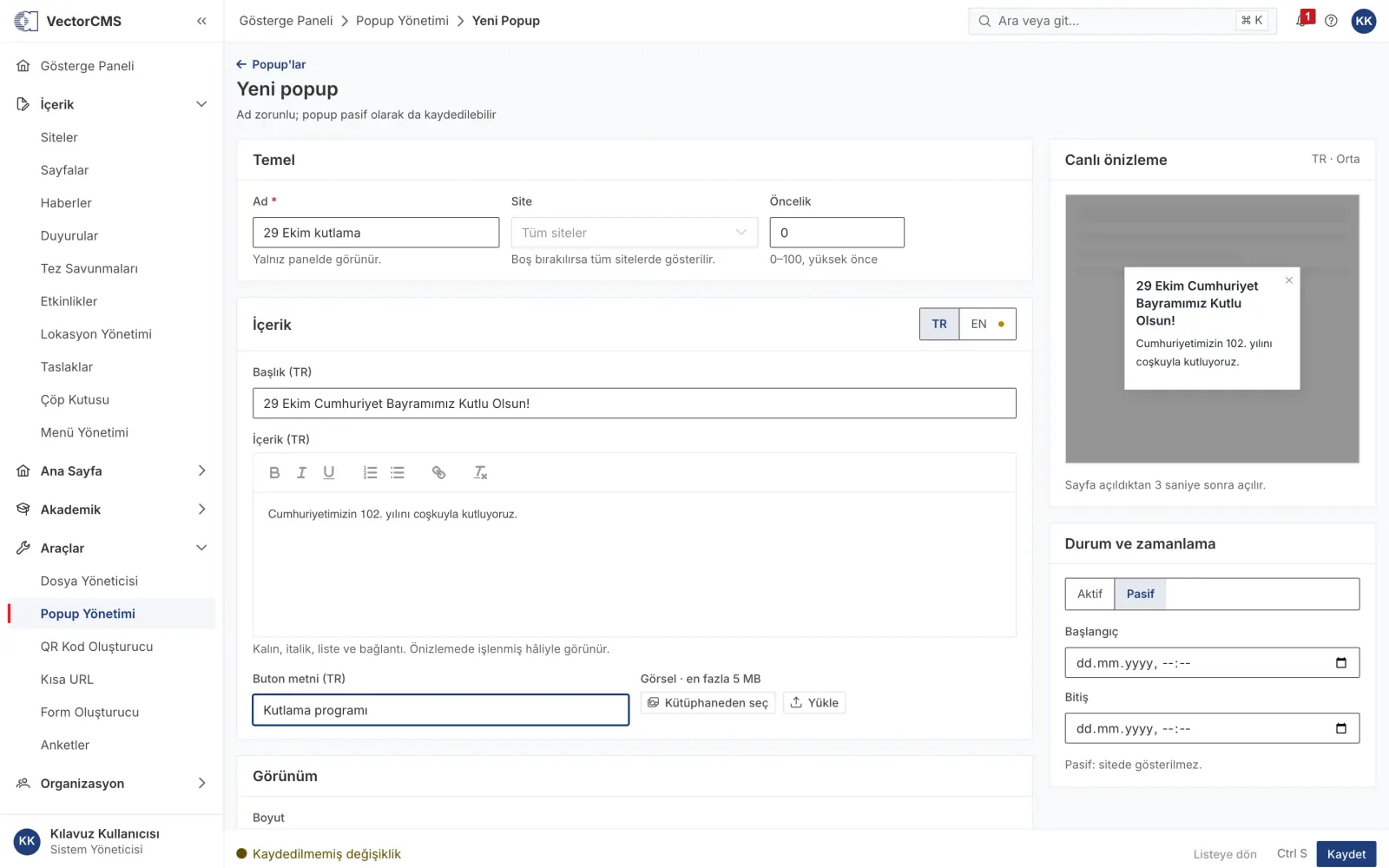
- Forgiving by design. Undo / redo, version history and restore, recovery of unsaved changes, a recycle bin.
- Layers panel and selection. User tests showed editors could not tell whether a block was selected, and clicks got lost on elements such as full-bleed video. Solved in three steps: a click shield for embedded content, clear selection with a selection path, and a navigator-style layers panel.
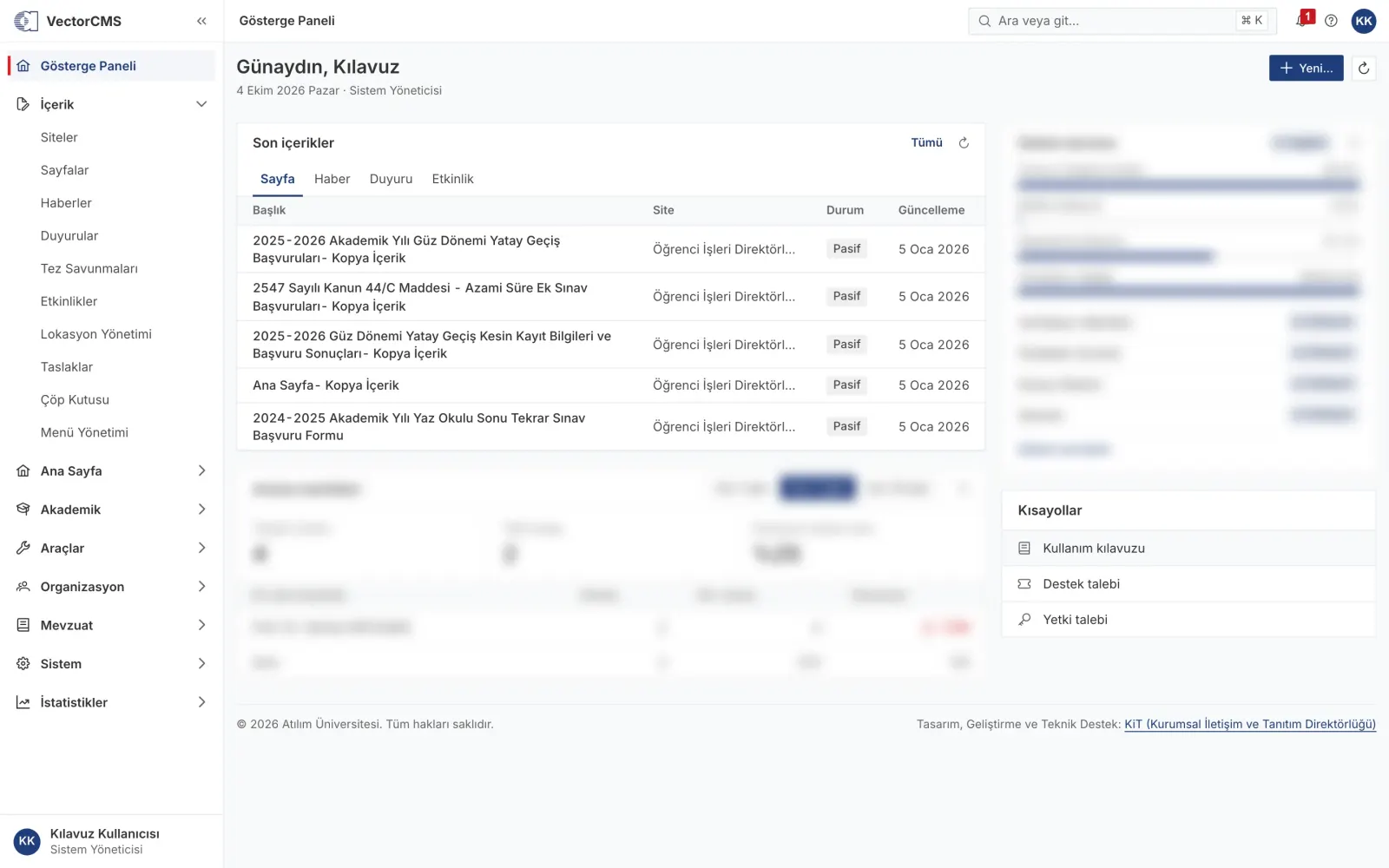
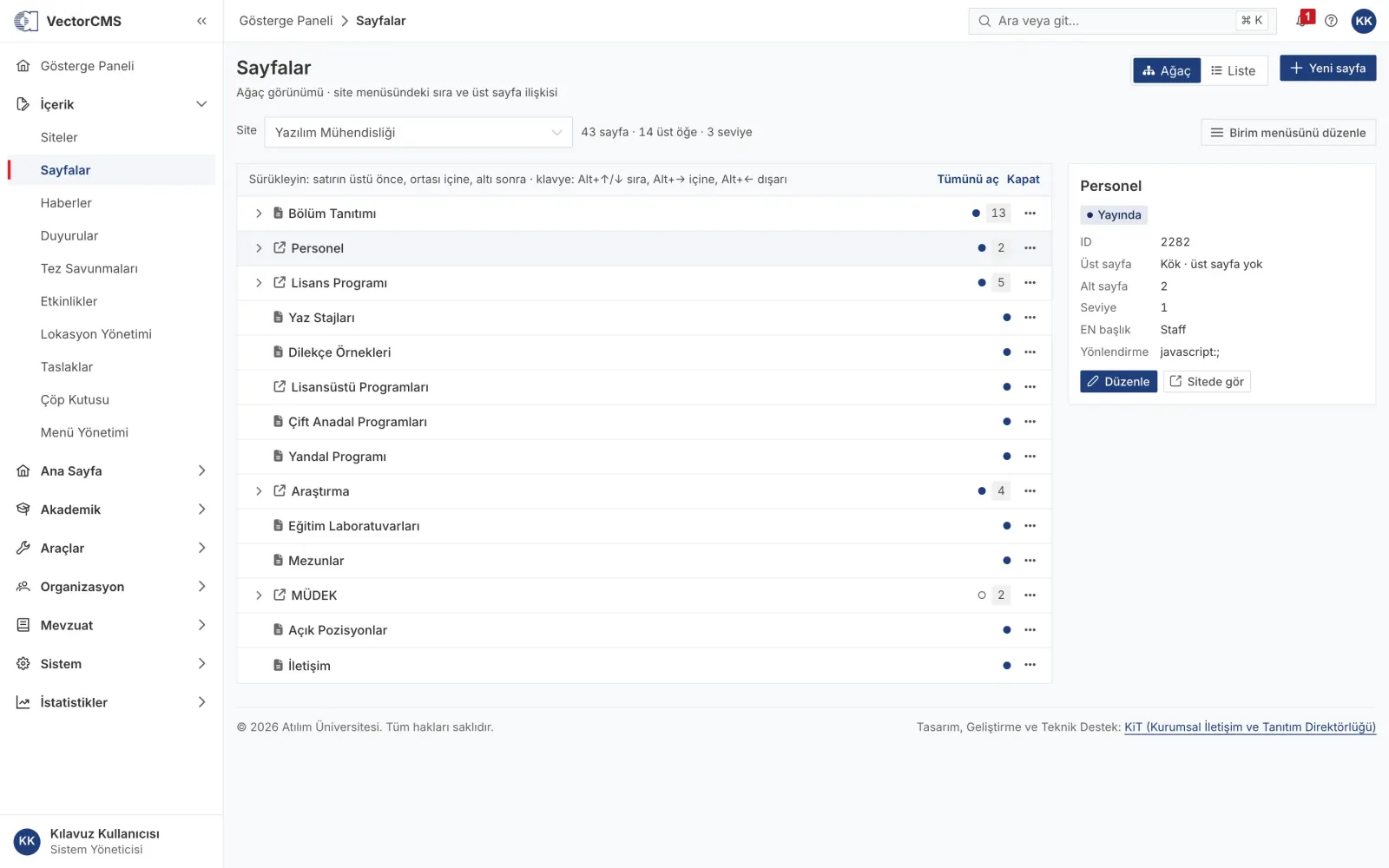
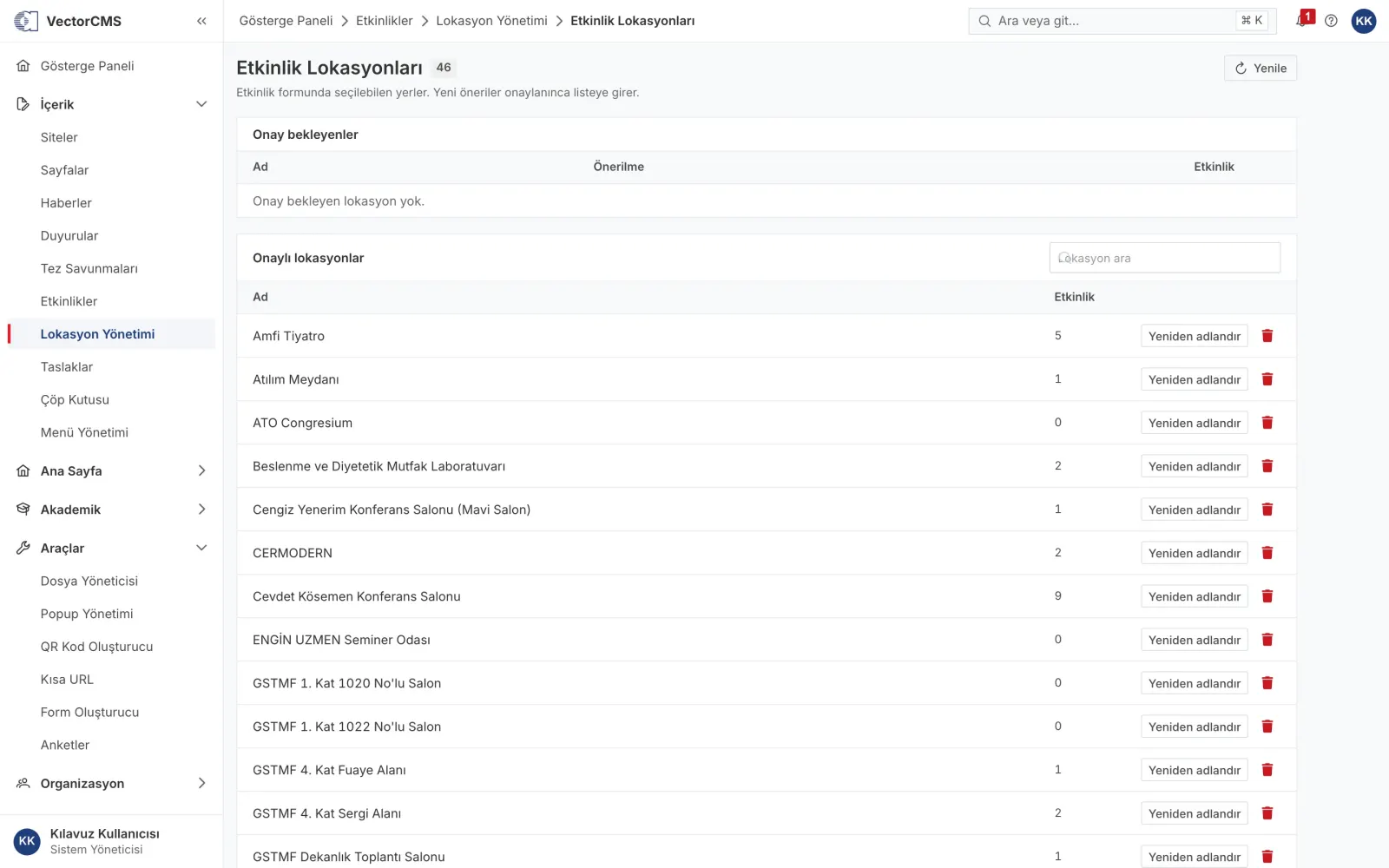
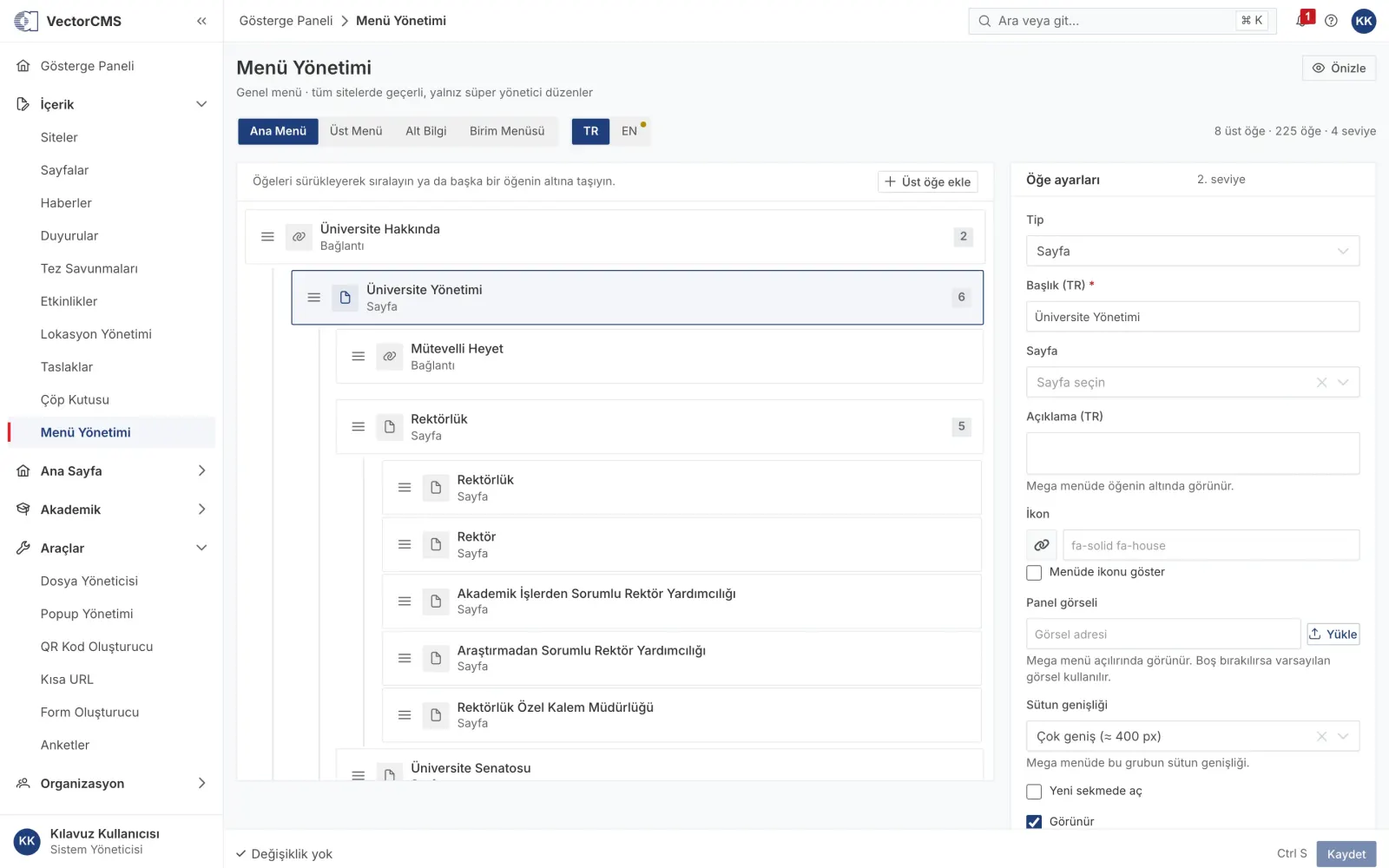
- Permission model. 12 roles and 151 permissions; editors see only the content of units they are authorised for. Permission requests, profile change approvals and support requests run through the panel; every action is logged.
Lossless migration
- Old content IDs and addresses are preserved; section names in old addresses redirect to their new counterparts.
- A phased migration command that keeps a status log and can resume where it stopped, with a step-by-step operations and rollback plan for migration day.
- Inconsistencies in the old data (mis-mapped fields, place names spelled differently, leftovers from the old file uploader) were identified and added to a fix list.
Visitor experience
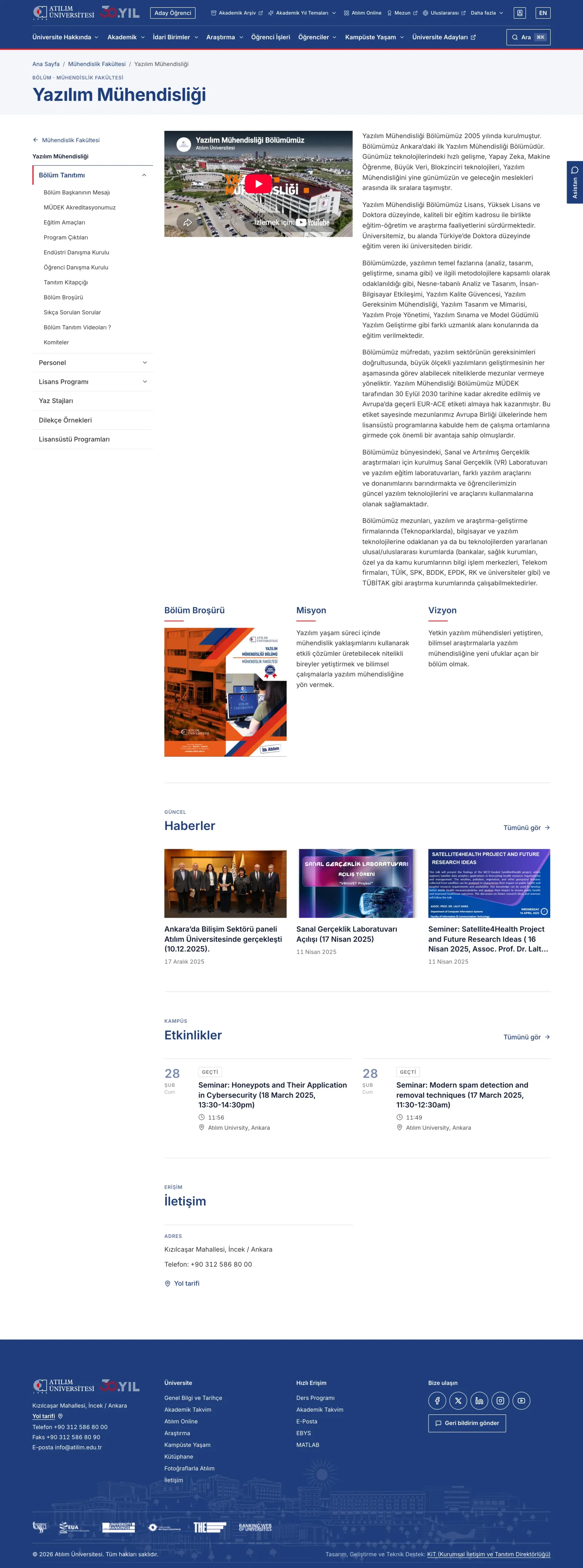
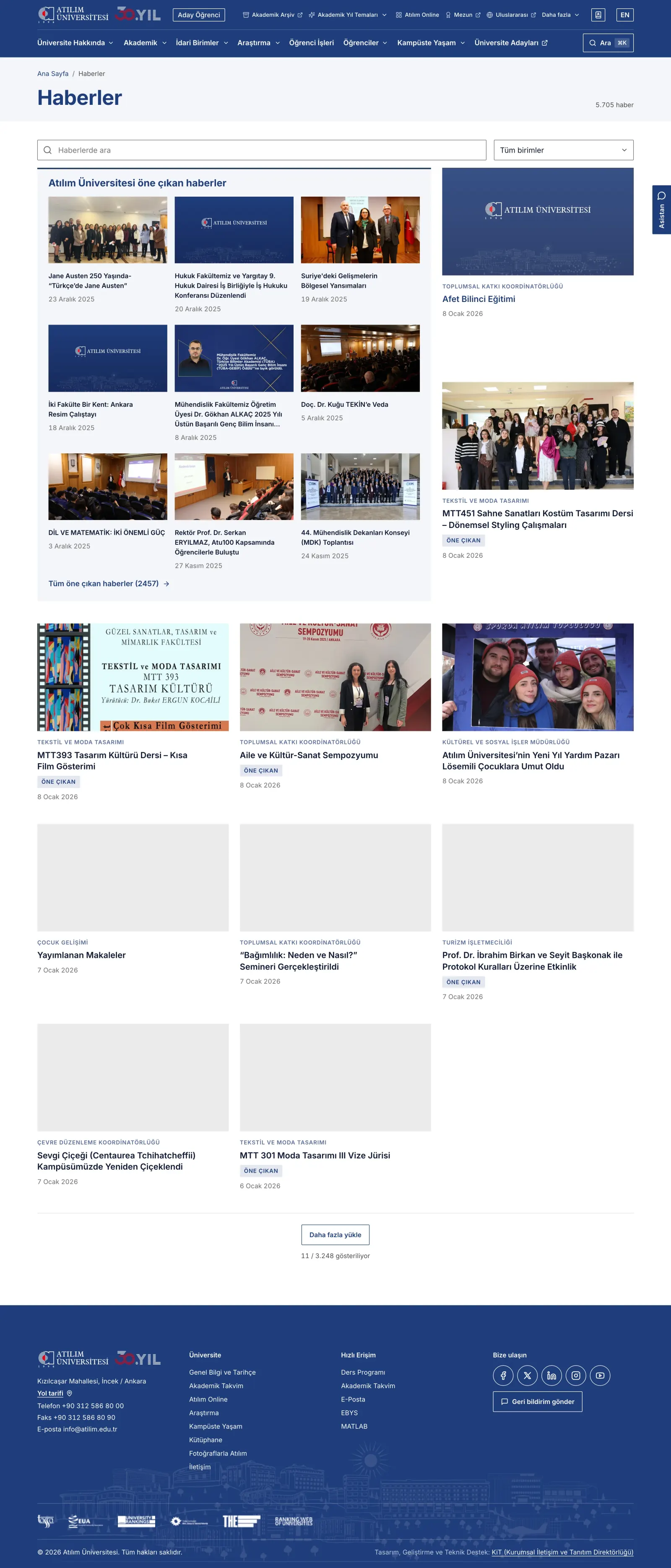
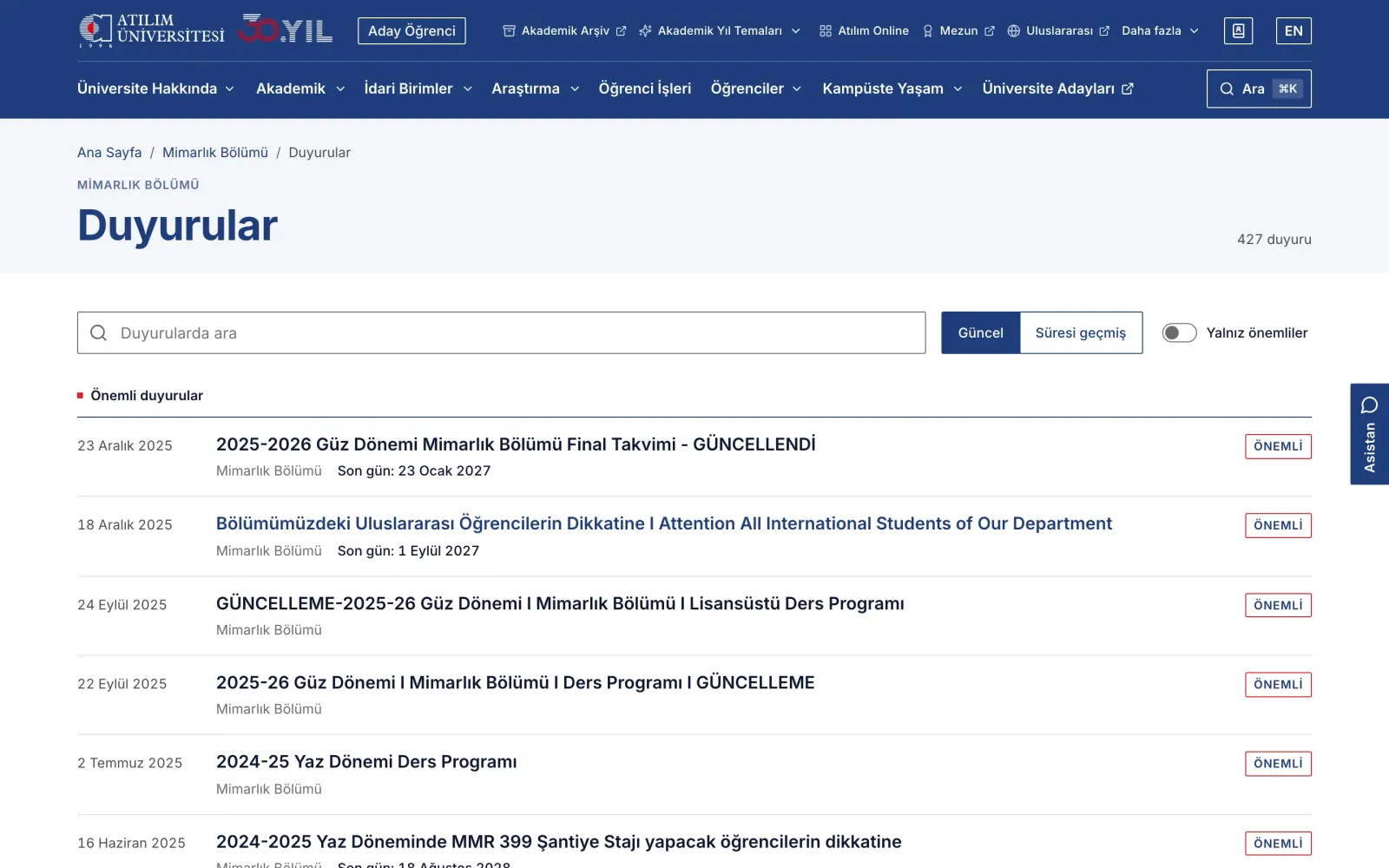
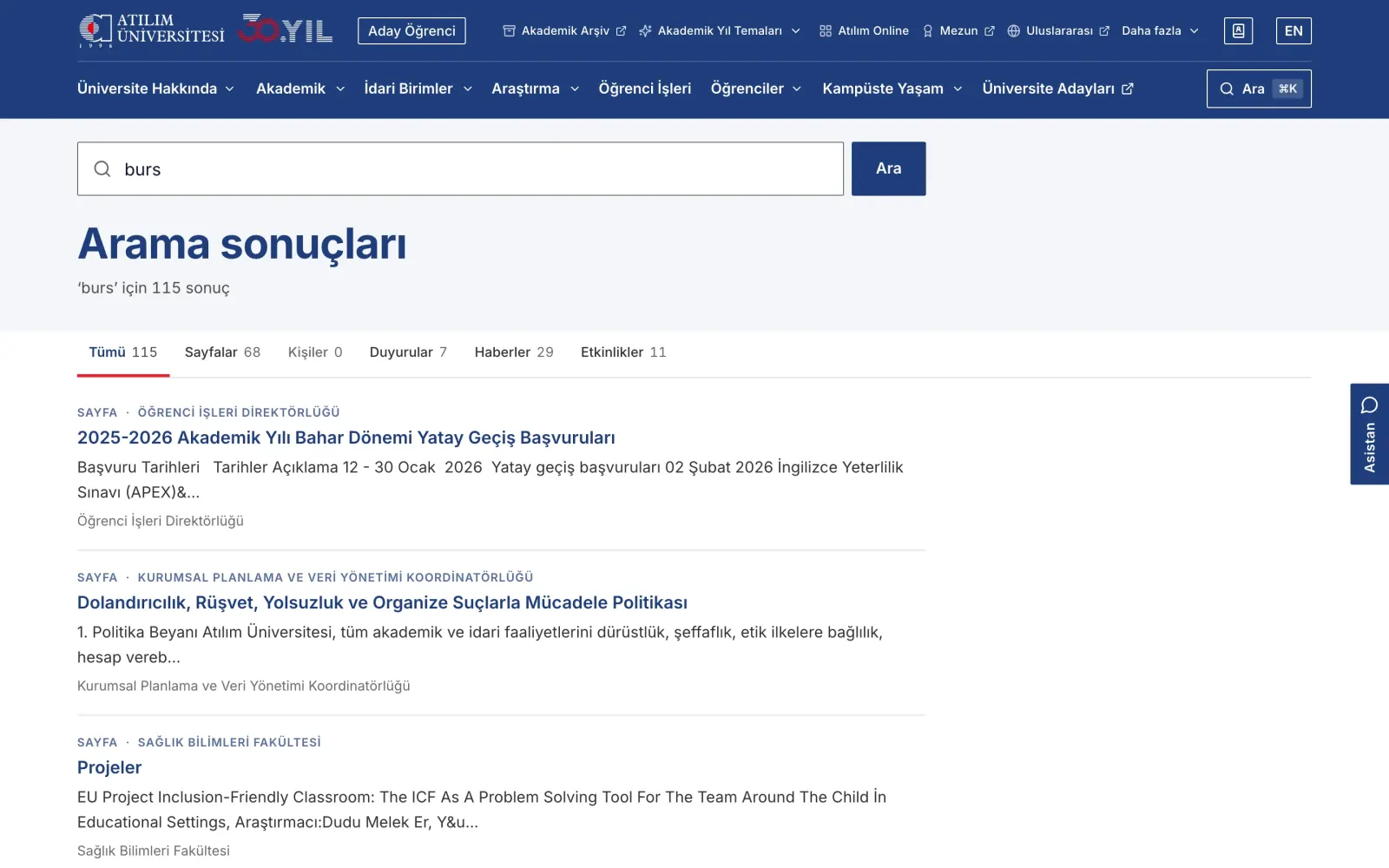
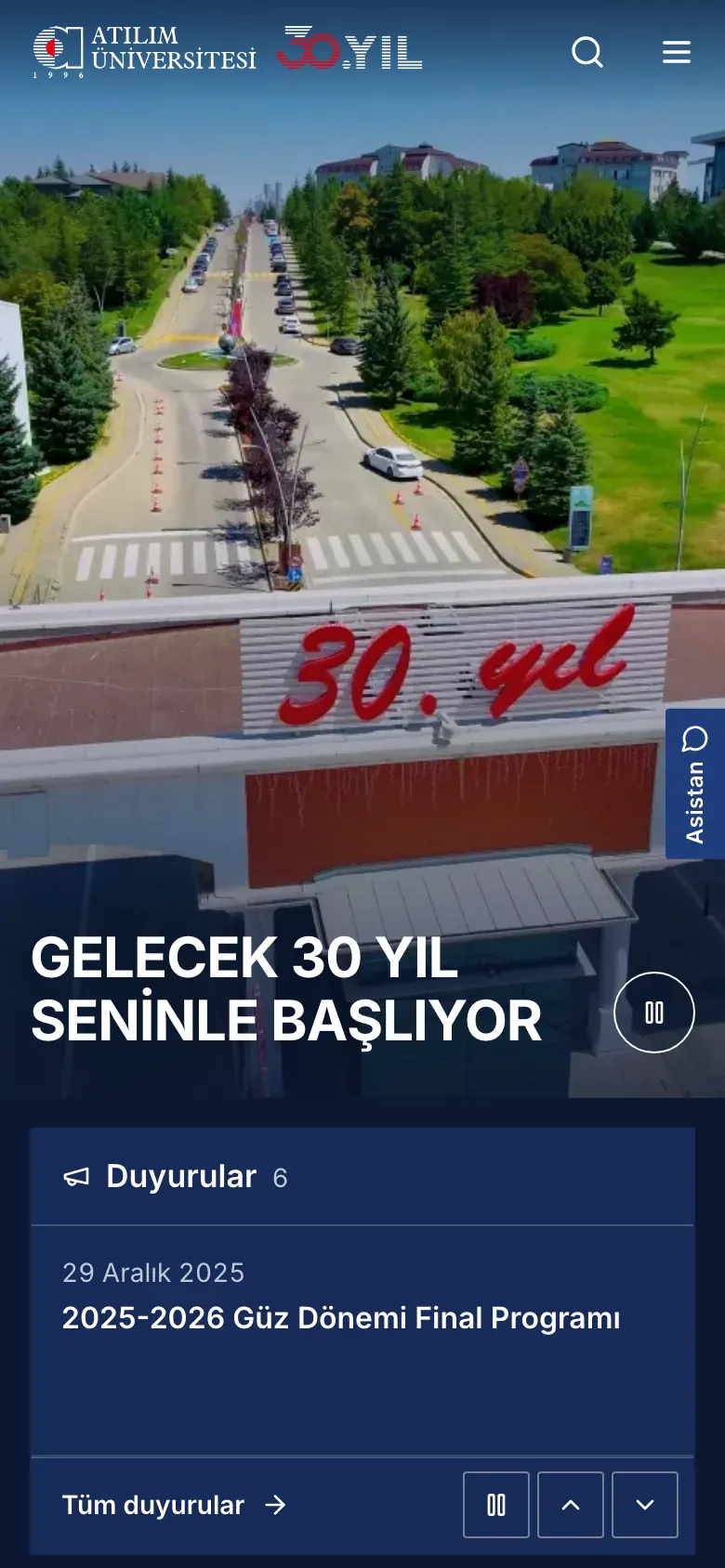
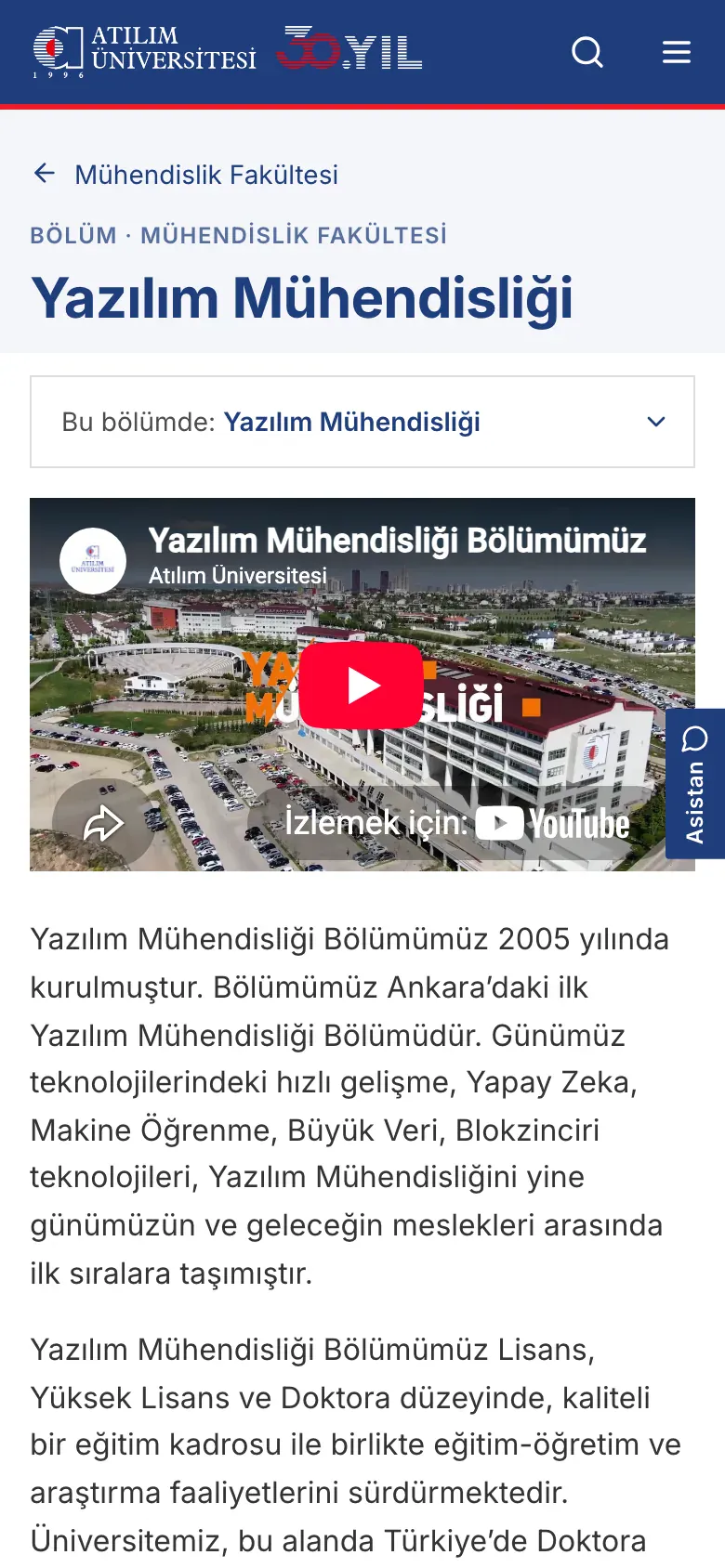
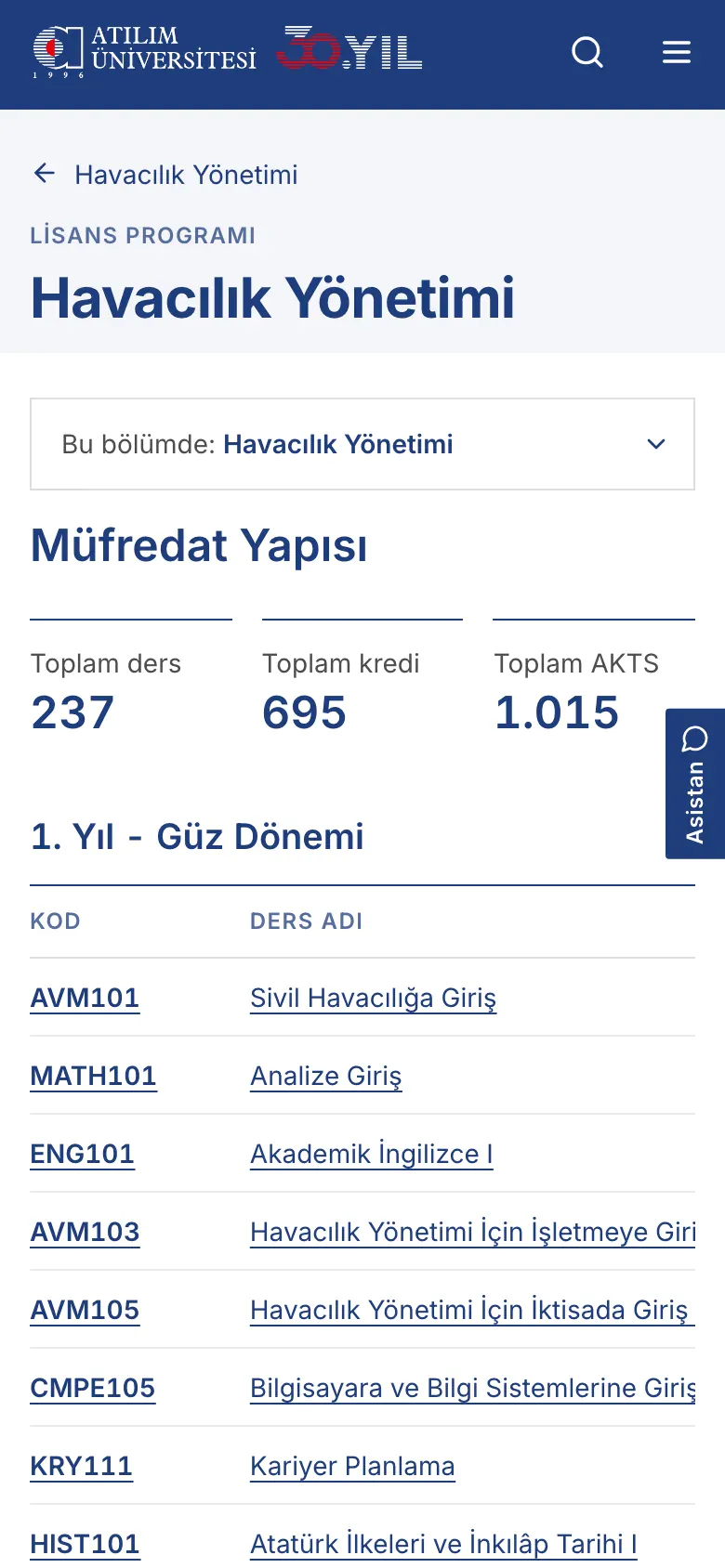
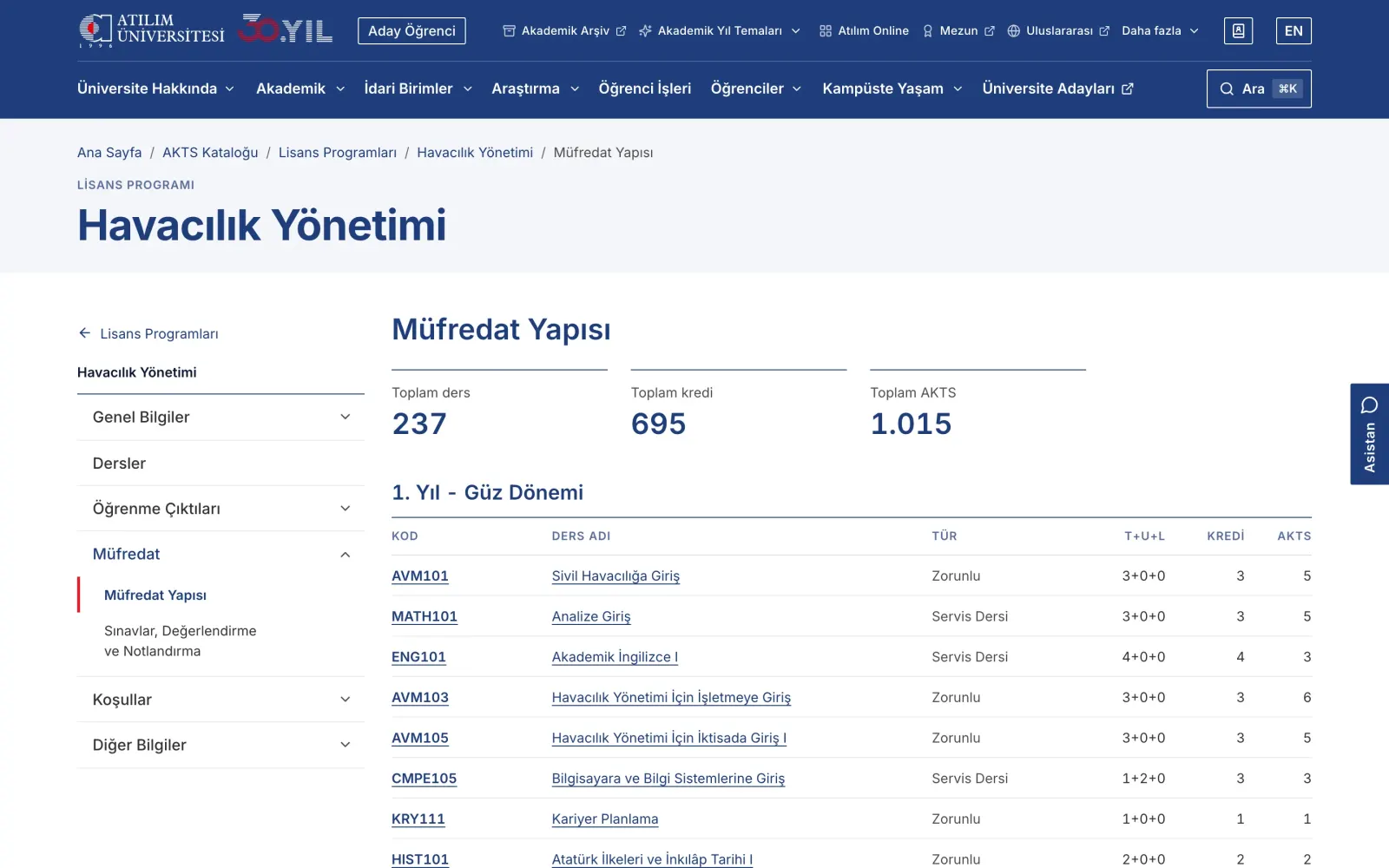
- Two themes. v2 (the current design) and v3 (an entirely new design) feed from the same content; switching takes a single setting. Both sit side by side in the showcase at the end of the page.
- Listing logic. University-wide announcements and featured news in their own windows; expired announcements move to the archive; upcoming / past events, with one-click add to calendar.
- Staff ordering. Academic staff ordered by institutional hierarchy (Board of Trustees, Rectorate, units) and by registry order, with an alphabetical option.
- Mobile-first layout and accessibility improvements.
Integration with institutional systems
- Staff data updates automatically from the institutional HR system; which details appear on academic profiles is managed from the panel.
- ECTS / Bologna catalogue: 196 programmes and about 7,400 courses; current and archived curricula, course pages within programmes, learning outcome matrices.
Quality and security
- About 1,000 automated tests (unit and feature tests).
- An independent penetration test: almost all findings closed, the software side of the rest completed.
- A business logic audit before going live: 136 of 144 findings closed; all critical findings resolved.
- A check in development that automatically catches access to fields missing from the database; load test scenarios and operations notes.
Documentation
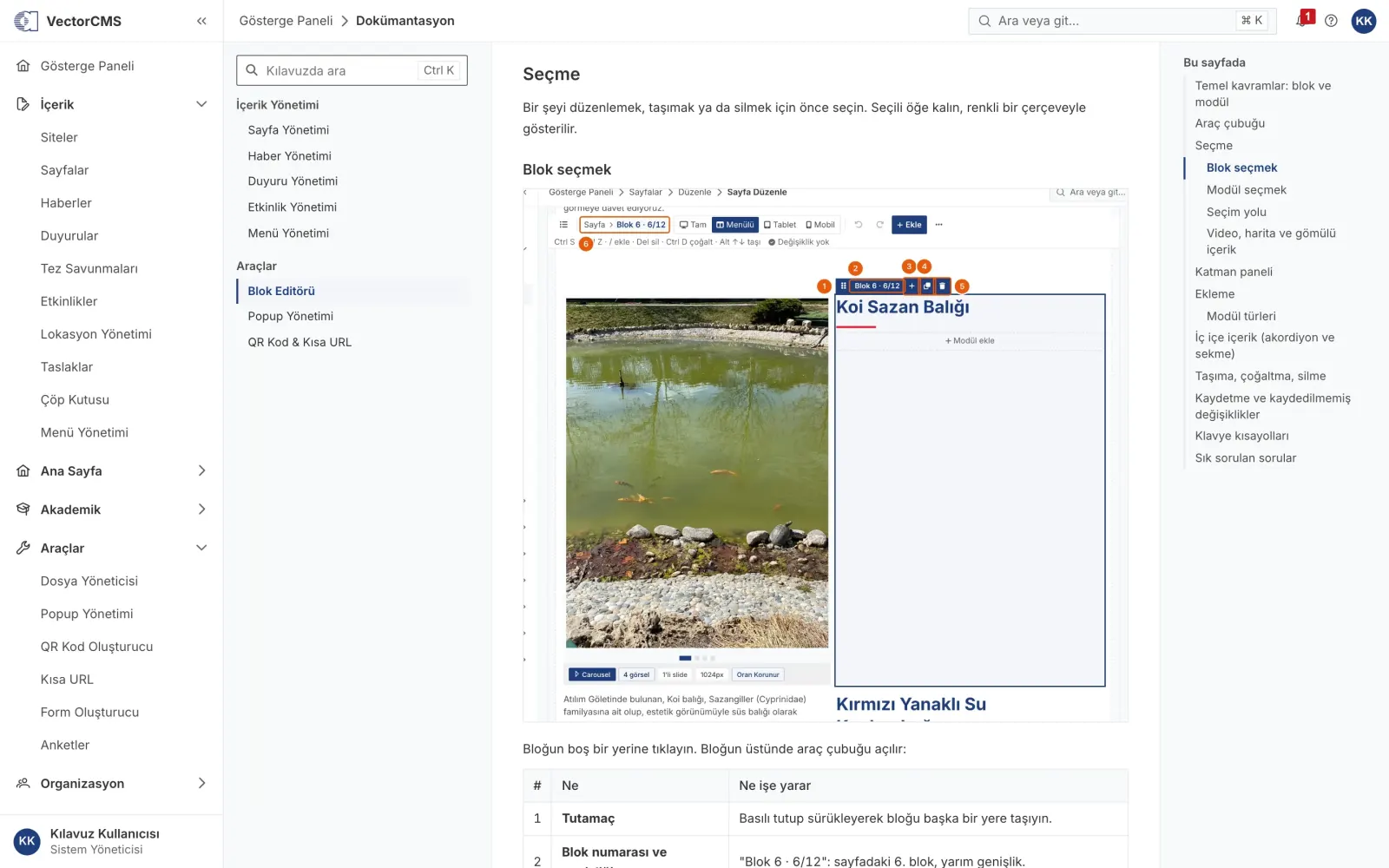
- The user guide lives inside the panel. Its images are generated by code, not by hand: a script opens the panel, prepares the screen, adds numbered markers and highlights, and takes the capture. When the interface changes, every guide image is regenerated with one command.
- Every behaviour described in the guide was verified against the code; bugs found along the way went into a separate work queue.
Delivery
The institutional site (v2 and v3 themes), the VectorCMS content management panel, the ECTS / Bologna catalogue and the in-panel user guide.
| Duration | 14+ months |
| Commits | 1,373 |
| Releases | From VectorCMS 1.0 to 2.0 release candidate 12 |
| Panel screens / components | 113 screens, 97 components |
| Database migrations | 133 |
| Automated tests | ~1,000 |
| Content migrated | ~25,000 pages, news items, announcements and events |
| Unit sites | 313 |
Roadmap
| Period | Stage | Output |
|---|---|---|
| Jul – Aug 2025 | Discovery and design system | Institutional design language, inner page template, first front-end prototype, navigation architecture |
| Sep – Nov 2025 | Content model and panel core | The first VectorCMS release |
| Nov 2025 – Jan 2026 | Maintenance window | Broke my left elbow; two plates went in. The only system upgraded in this period was the developer. |
| Jan 2026 | Panel launch | VectorCMS 1.0: version history, activity log, popups and drafts, form builder |
| Feb – Mar 2026 | New site, first release candidate | Home page management, recycle bin, site search, media, mobile and accessibility |
| Apr 2026 | Multilingual content and migration strategy | Turkish / English content; single-database decision and migration rehearsal |
| Apr – May 2026 | Security | Independent penetration test; findings closed, stability release |
| Jun 2026 | Institutional test environment | Surveys, form improvements; feedback from management and units |
| Sep 2026 | Audit and new interface | Business logic audit; the panel's redesigned interface; the site's v3 theme; load test preparation |
| Oct 2026 | User experience and documentation | Layers panel and selection improvements in the block editor; user guide with annotated images |
Current state
Started in July 2025 and ongoing. The launch date depends on the institution's approval processes more than on technical readiness, so each stage was planned to be usable on its own.
What I learned
- Old data was the biggest unknown. Even a migration that looks technically correct can carry the old system's habits (fields used for different purposes, the same place spelled differently). Putting screens side by side with the old site and tracing each difference down to the data proved the most reliable method.
- Feedback surfaces rules the code does not show. Feedback from deans' offices and units brought out rules of hierarchy and wording (staff ordering, "System Administrator" instead of "IT support").
- Repeated work should be automated. Migration rehearsals, tests, guide images and audits run as commands; this kept both speed and consistency.
- Verification discipline in AI-assisted development. I used AI tools in development. They saved time, but I saw that they could also produce unverified assumptions in business logic carried over from the old system. I balanced this with checks that verify every behaviour against the source (old code, the real data schema) and catch problems automatically.
Showcase
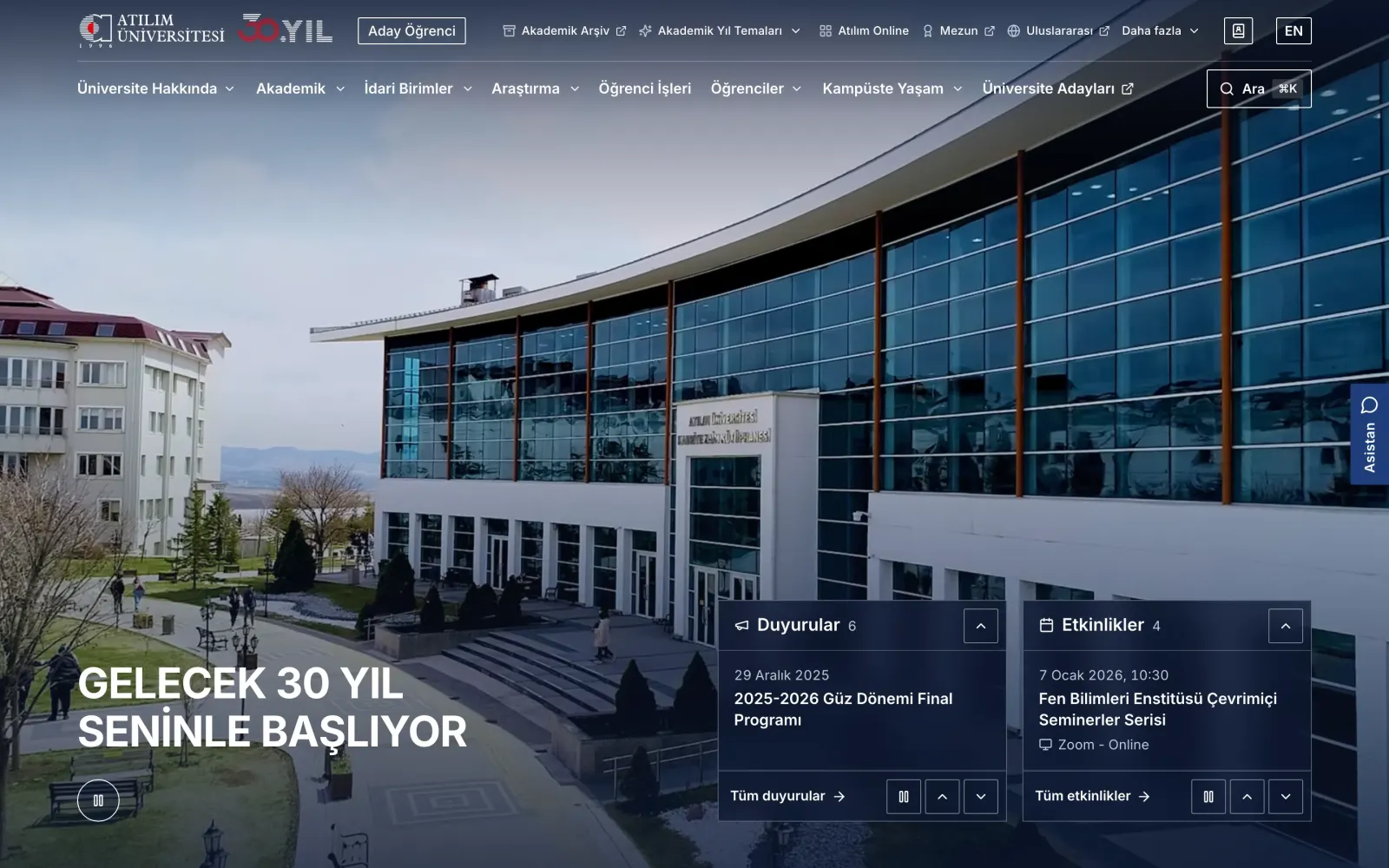 v3 theme
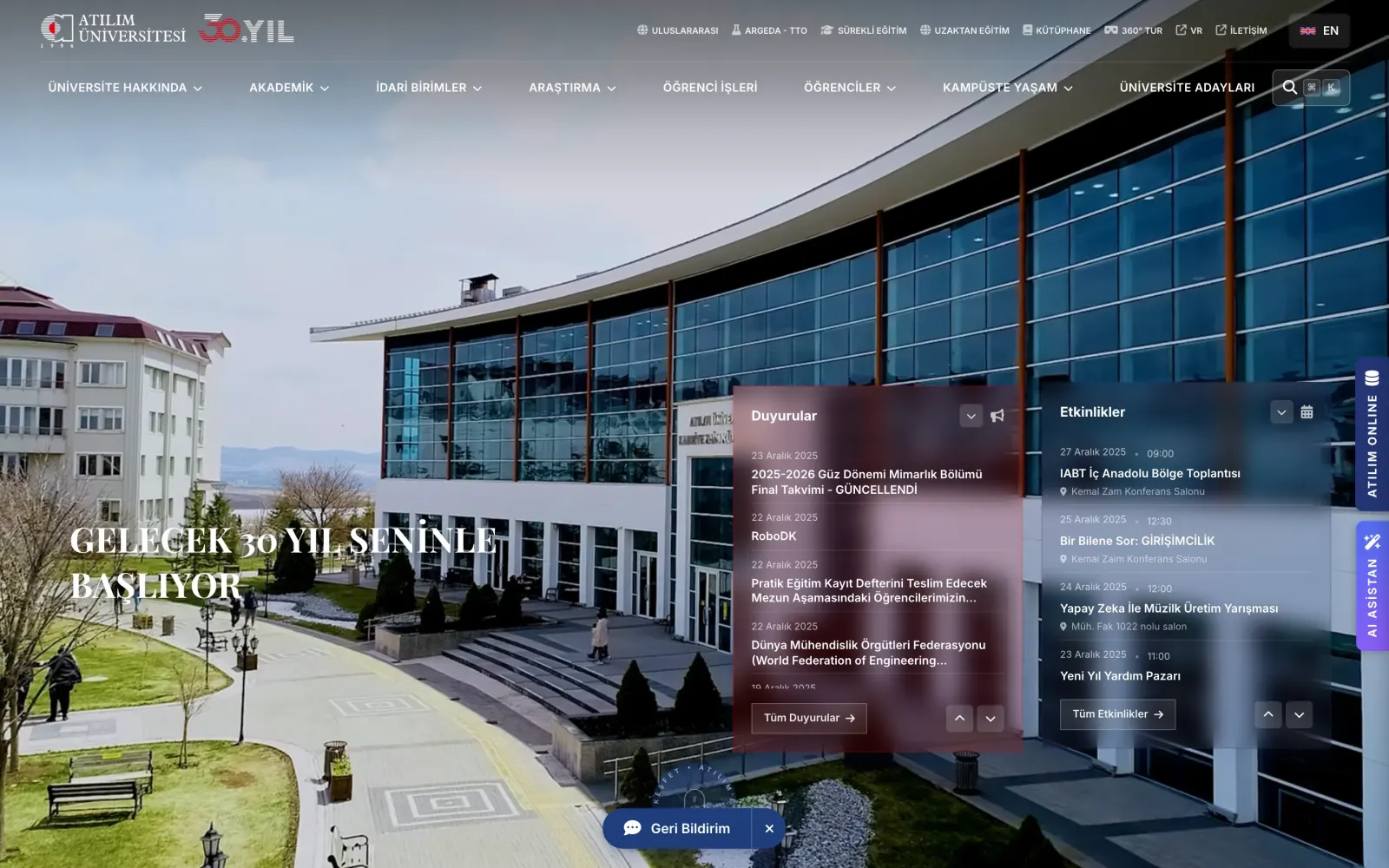 v2 theme