Corporate communications request and workflow system
request and workflow management · Atılım University
In internal testing; not yet launched, development ongoing.
summary
Requests arrived through scattered channels; which request was at which stage, and with whom it was waiting, could not be seen at a glance. Each request type needed different information and a different process.
Format first, then code: forms and workflows are defined as schemas and changed with editors inside the panel; rules are the same on client and server; forms and workflows are versioned.
A transparent process for requesters, a dashboard, kanban and reports for management; a new request type or approval step can be added without waiting for a developer.
Context
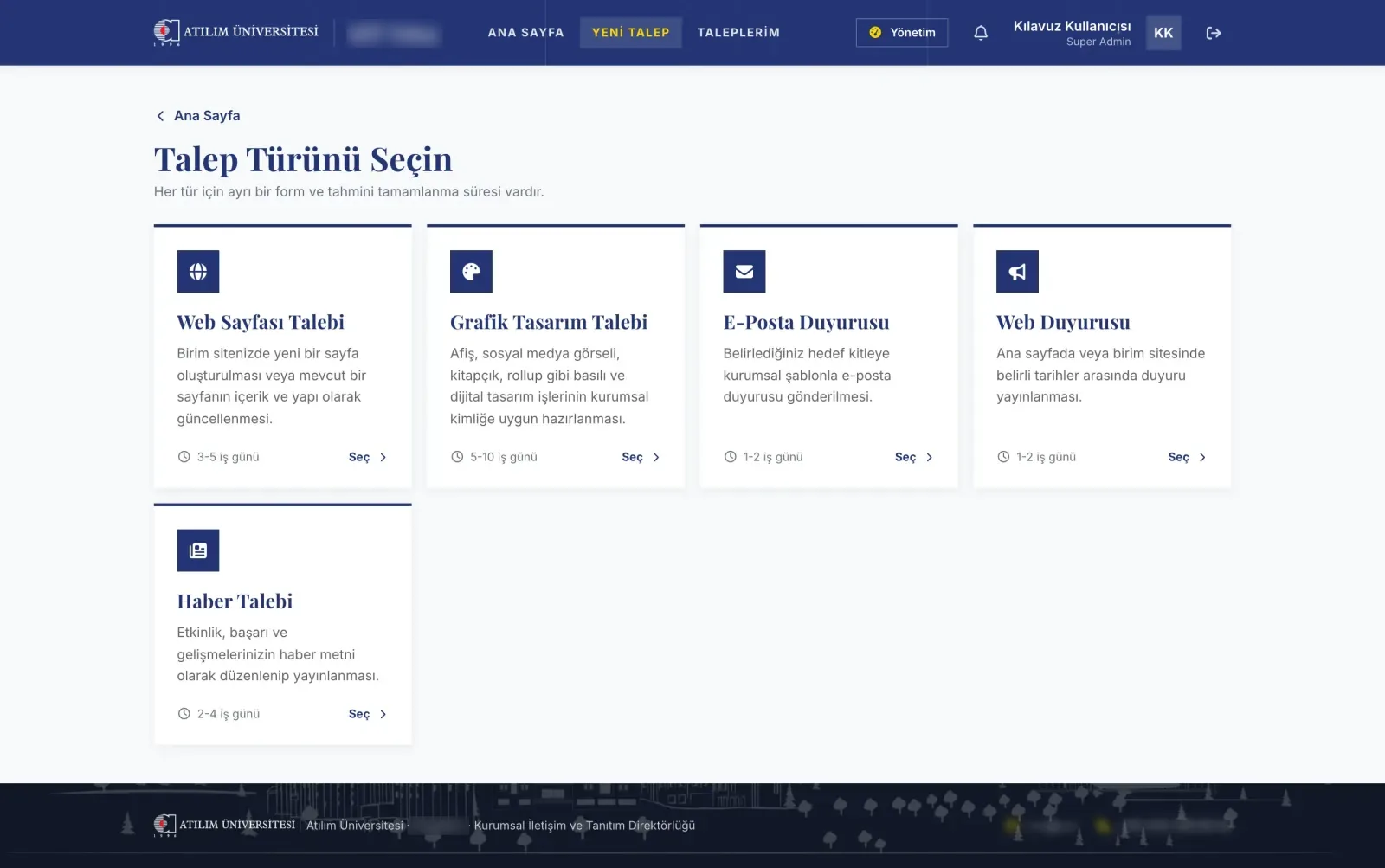
An application that gathers the web page, graphic design, email announcement, web announcement and news requests sent to the Directorate of Corporate Communications and Promotion into one system. Staff submit a request through its own form; the Directorate approves it, assigns it to someone on the relevant team, asks for revisions if needed and delivers. The same system lets the promotion team measure school visits and fairs without keeping personal data.
I am the product owner and developer; development ran with an AI coding assistant (Claude Code). The interface was implemented from a design project prepared beforehand.
Goals
- A form and a process of its own for each request type, but one shared view.
- Transparency for the requester: which stage, with whom, when it will be delivered.
- A view of workload, delays and service-time targets for management.
- A structure that needs no code to change forms and processes.
- Numeric measurement of promotion events without keeping prospective student data.
Principles
- Format first, then code. Form and workflow schemas were documented and validated with examples before any code; everything after rested on that contract.
- Rules in one place. Conditions are evaluated with the same rules on the client and the server; server validation is always binding.
- History does not break. Forms and workflows are versioned; an open request continues on the version it started with.
- Visibility by role. Each user sees only what concerns them.
- Working with AI, I stay in control. I set the decisions, scope and release steps; at every stage I checked the tests, static analysis and screens myself.
The data in the screenshots is sample data: personal names were replaced with role labels; the product name, request numbers and unit names are blurred.
What was built
Schema-based forms
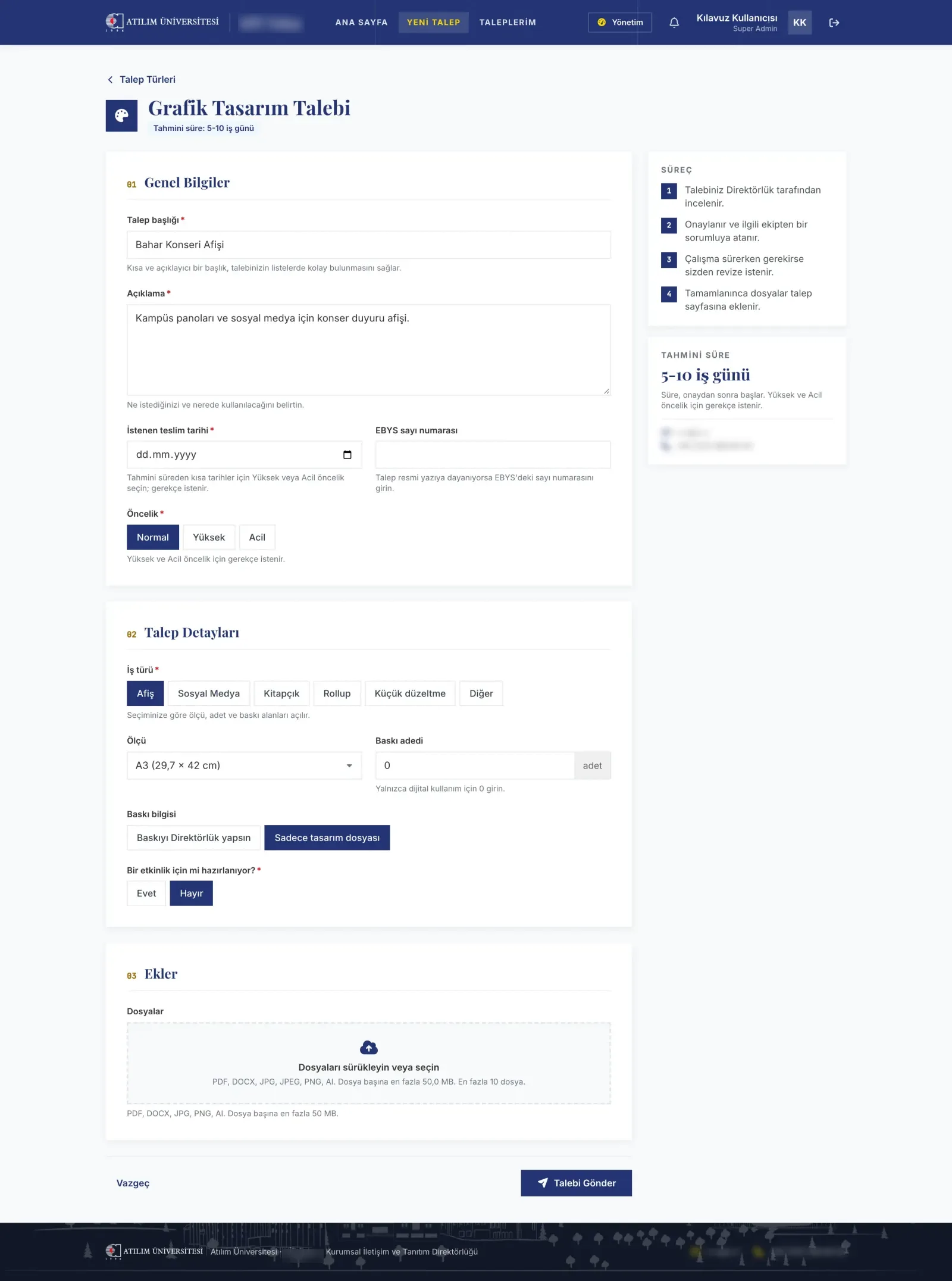
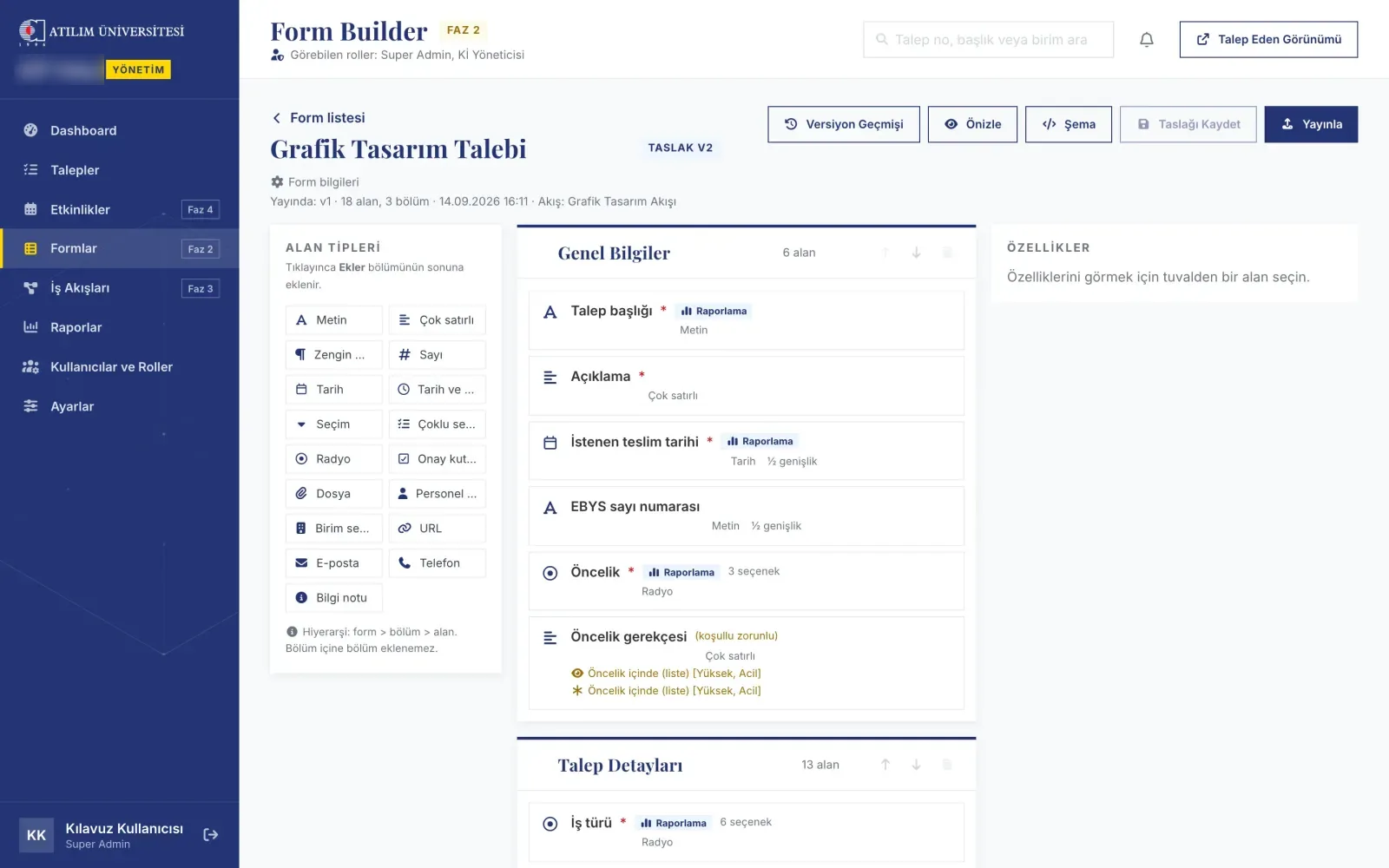
Each of the five request types needs different fields, and those needs change. Forms are defined with a JSON schema: sections, field types, conditionally visible and conditionally required fields. The form editor in the panel edits this schema visually, locks the identifiers of published fields and stores every publication as a new version.
Visual workflow engine
Some requests need approval, some go straight to the team; the process varies by type and content. The workflow is modelled as a graph of state, condition, action and wait steps. Transitions are role-based; a condition step branches on the request's content (small fixes skip approval, for example). Actions send notifications and make assignments; wait steps set reminders before the due date. The workflow is managed in a visual editor on a canvas, which validates the graph before publishing and offers role-based simulation.
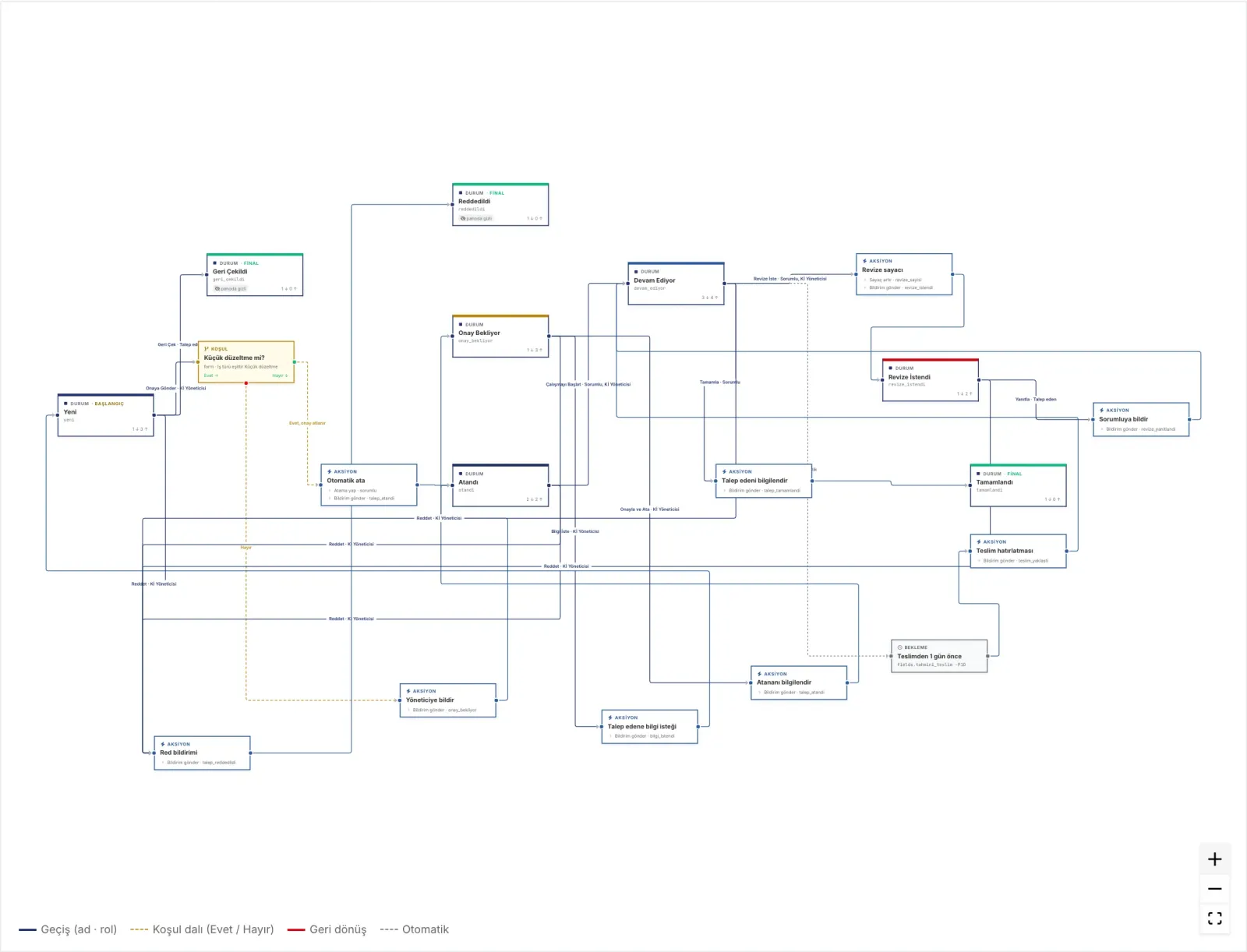
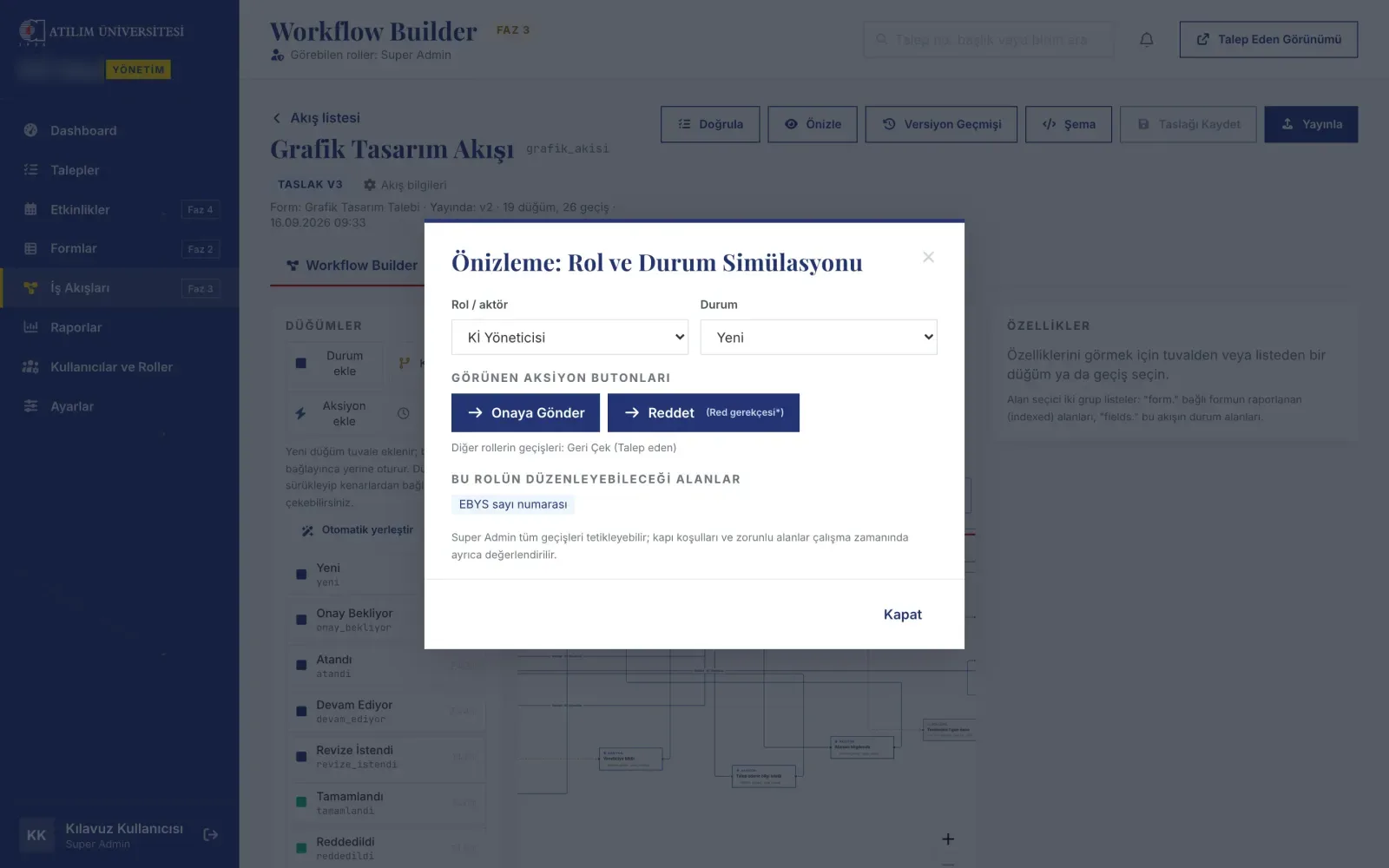
Before publishing, the simulation shows the workflow through a role's eyes: which action buttons appear for the chosen role and state, and which fields can be edited. Wiring a transition to the wrong role is caught before it goes live.
Rule-bound kanban
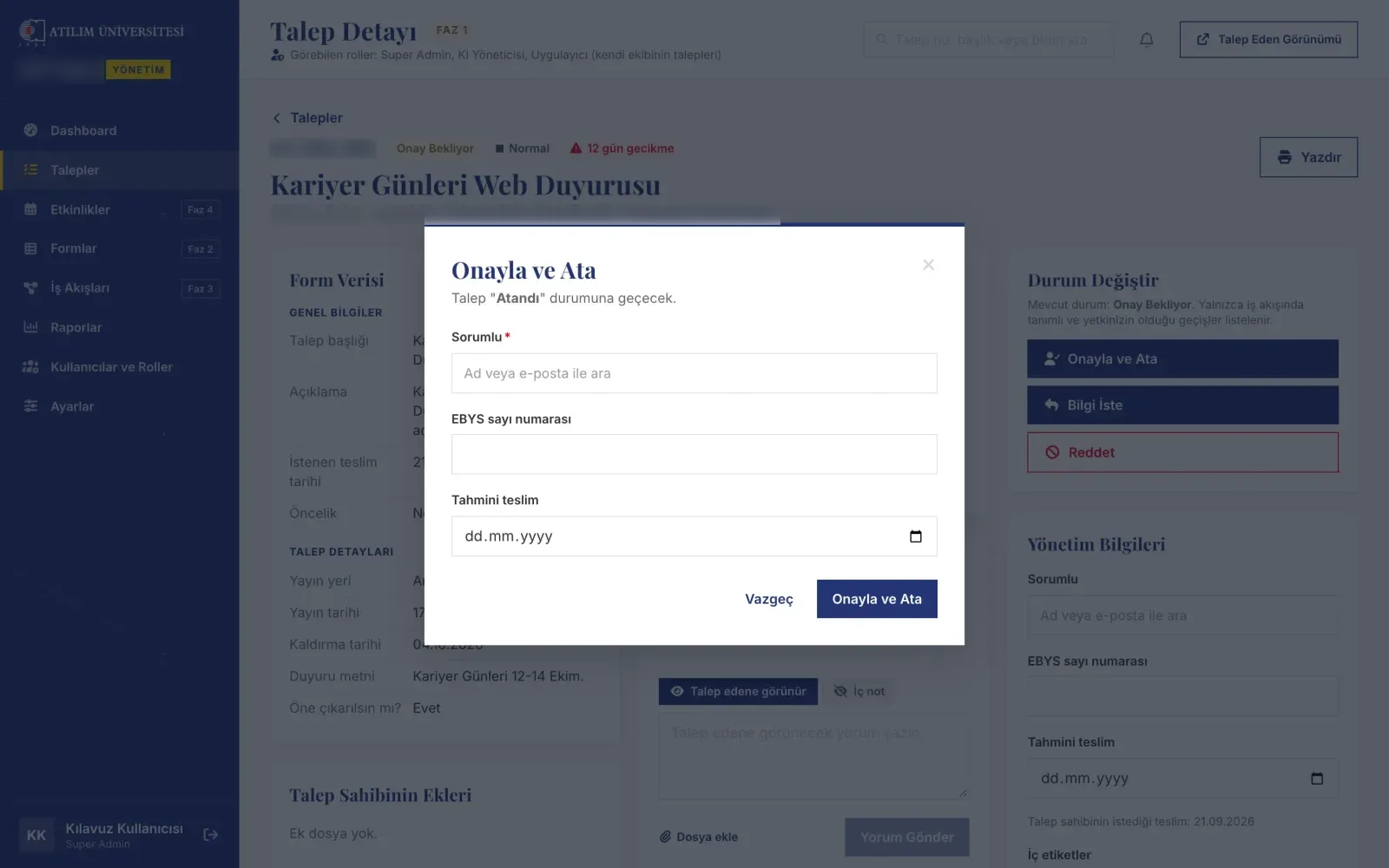
A drag-and-drop board is handy but can easily bypass the process. When a card is dropped, the server checks whether a defined transition exists between the two stages that the user is authorised for. Transitions that need more information open a dialog; undefined or unauthorised drops are rejected with an explanation.
Requests pinned to a version, and semantic stages
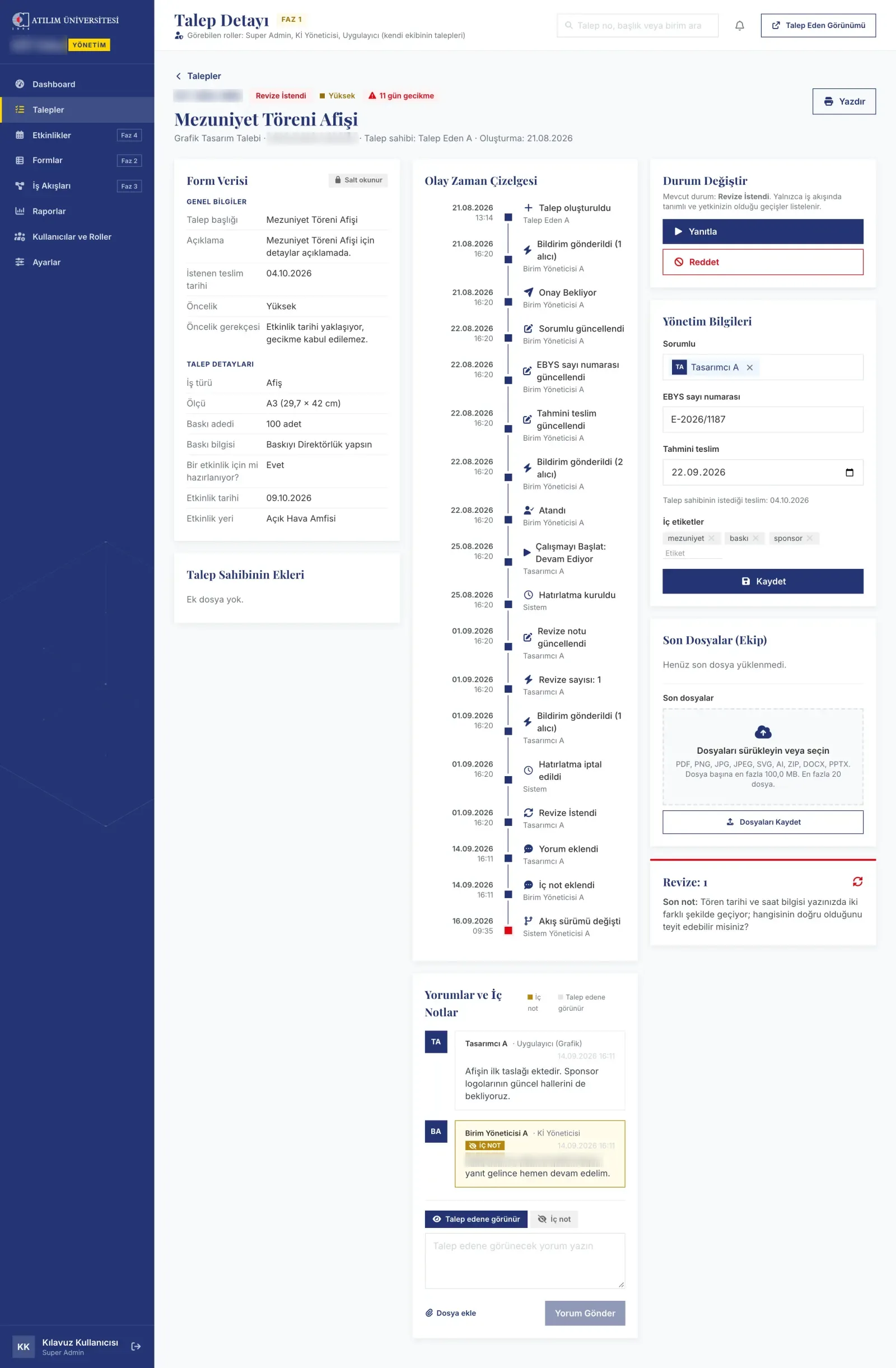
Every request is tied to the workflow version it started on. When a new version is published, open requests are unaffected; if the manager chooses, they are moved by mapping old stages to new ones, and the step is written to the event log.
Workflows could change freely in the editor, but the dashboard, reports and service-time indicators looked at specific stage names; renaming a stage would have left those screens silently empty. Stages gained semantic types (approval, in progress, revision, done) and transitions an intent (approve, reject, ask for information). Screens now look at meaning, not names.
Through the requester's eyes
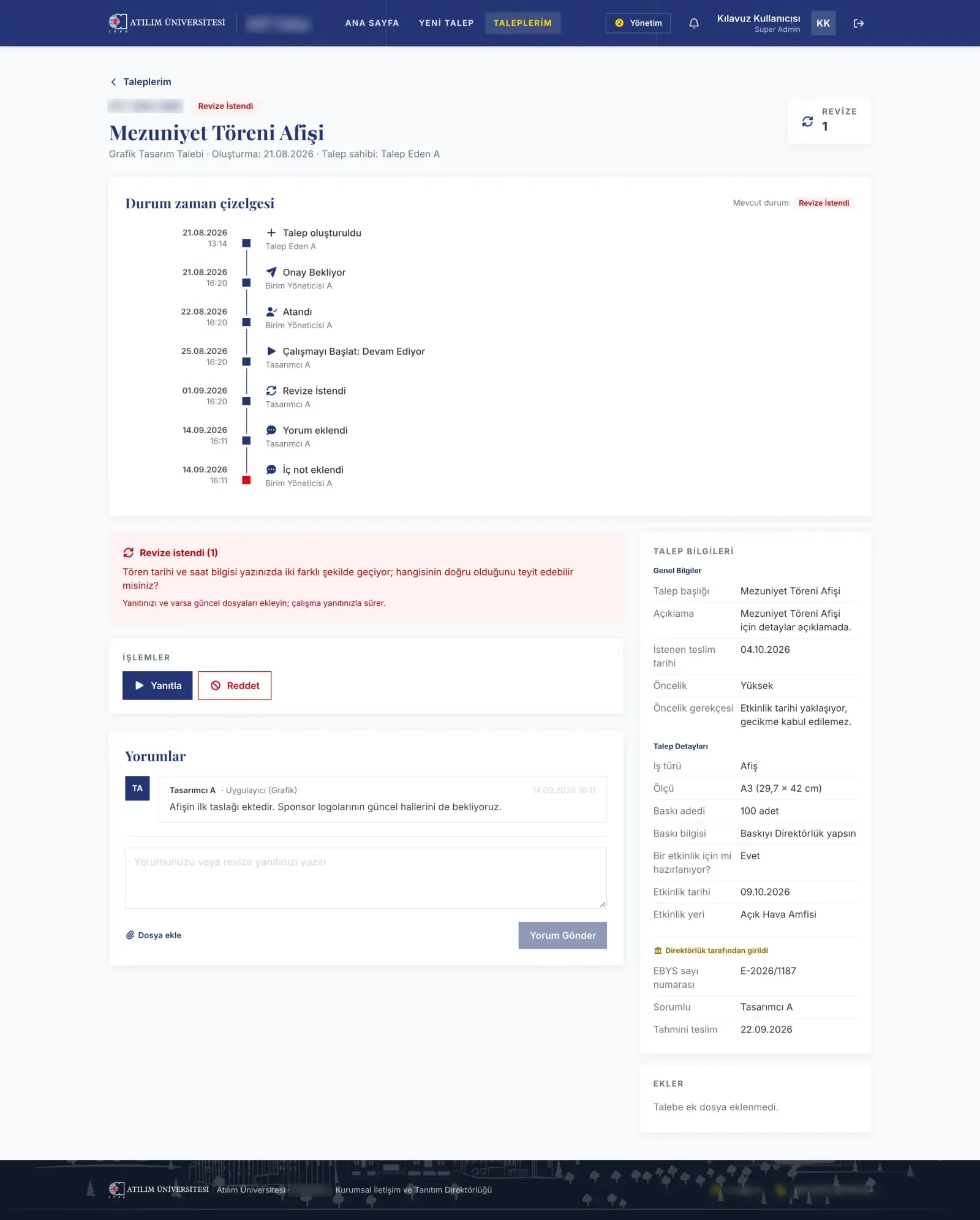
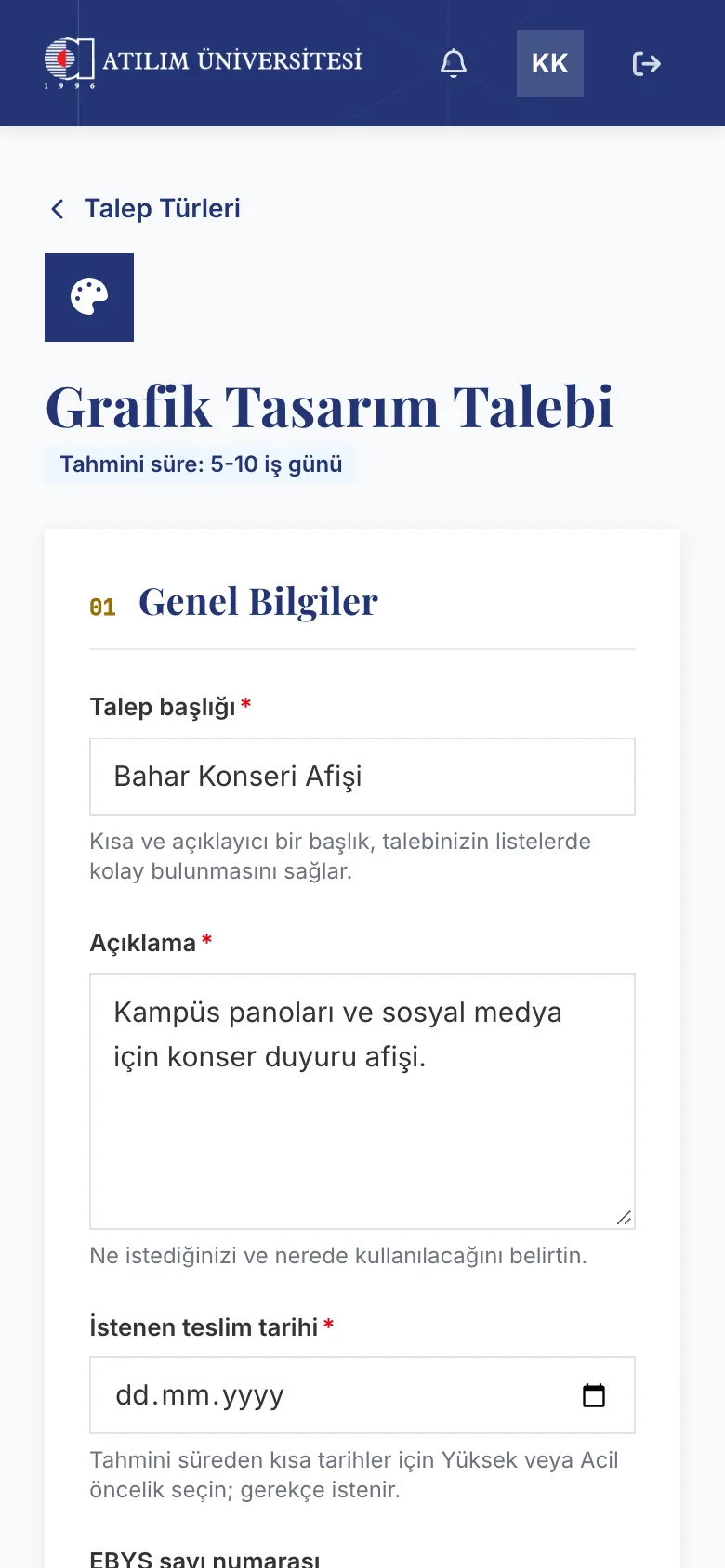
Requesters see on their own screen which stage their request is at, with whom it is waiting and when it will be delivered, and answer revision requests from there. Every screen does the same job on a phone.

Management view and reports
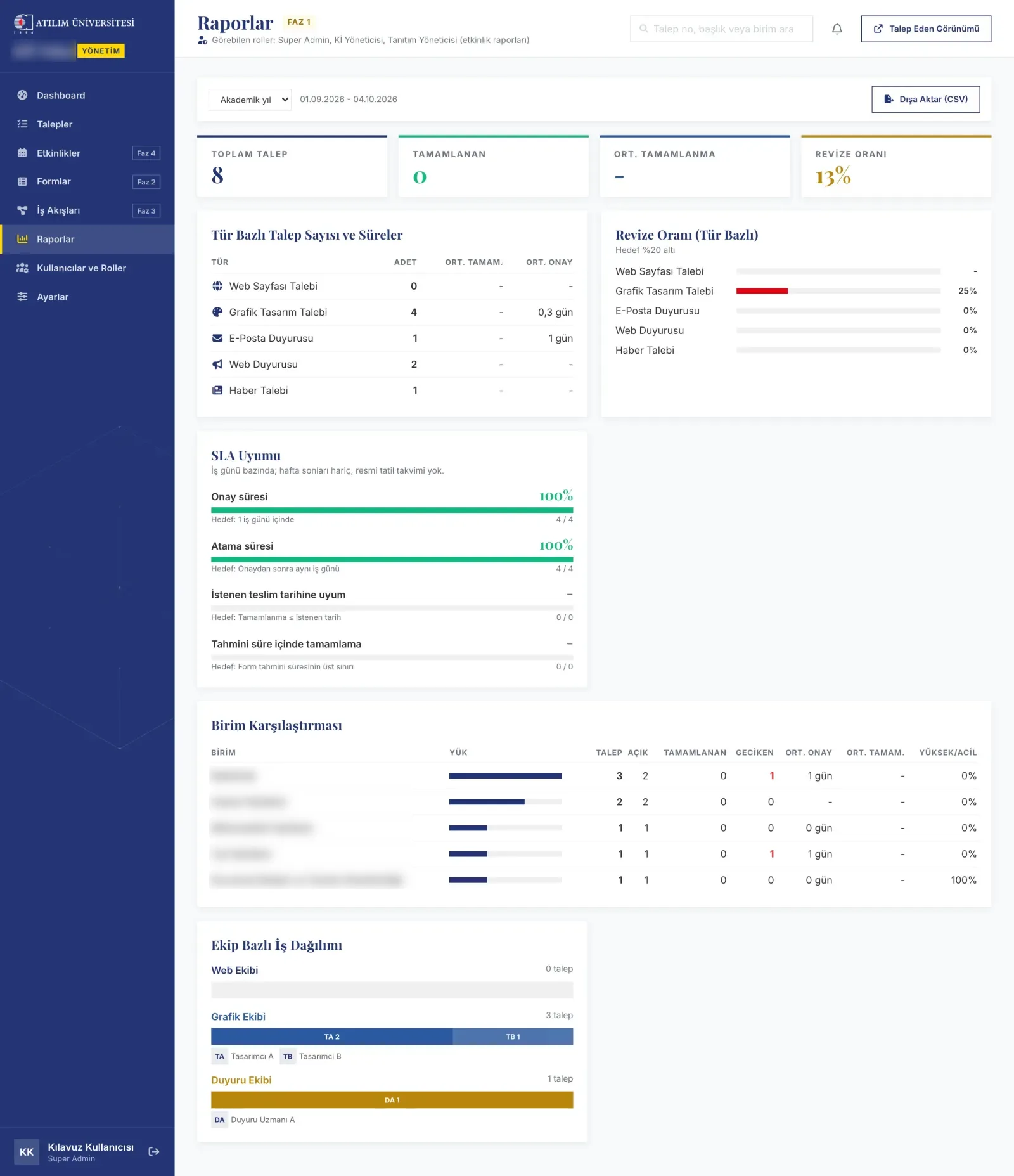
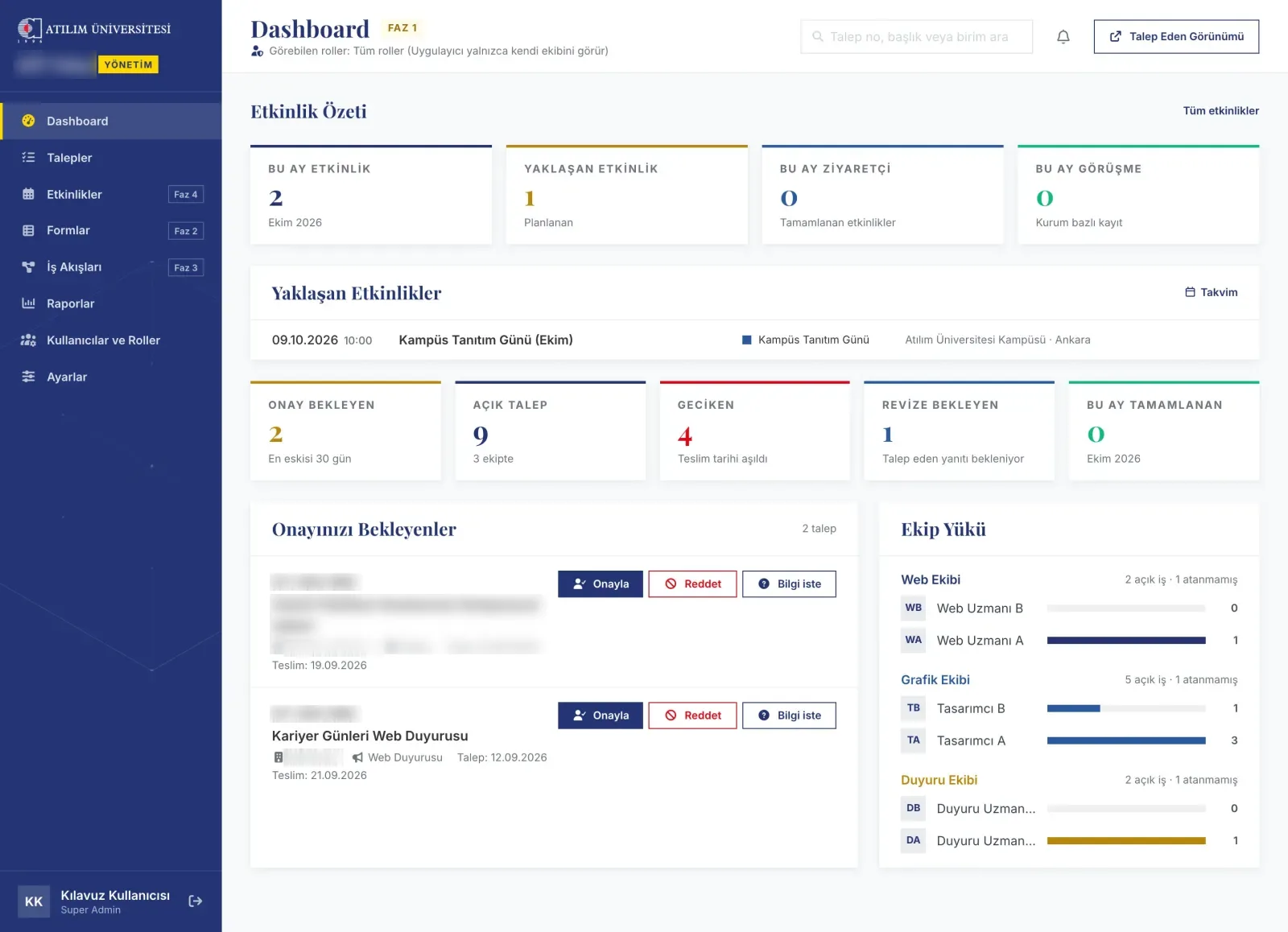
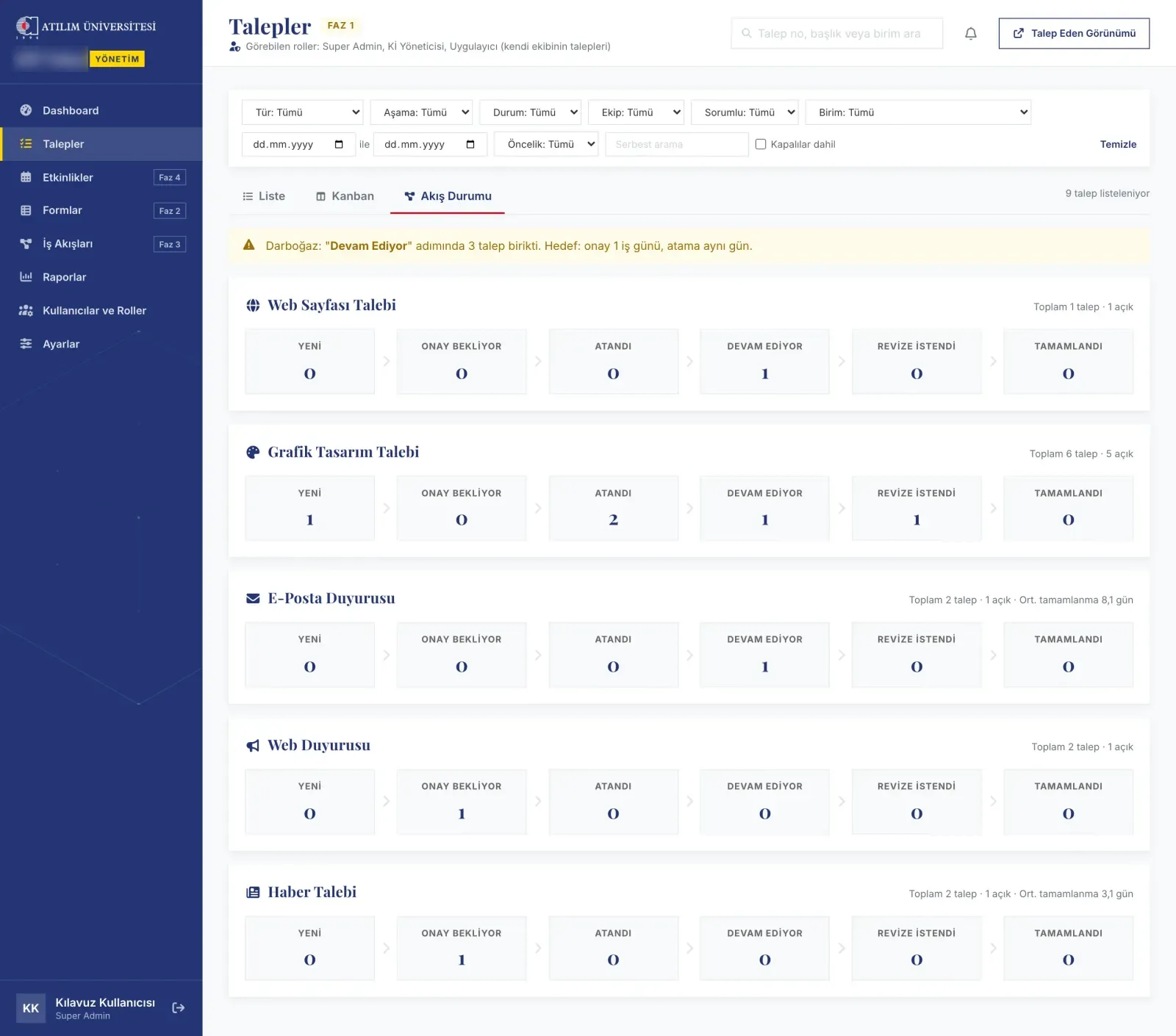
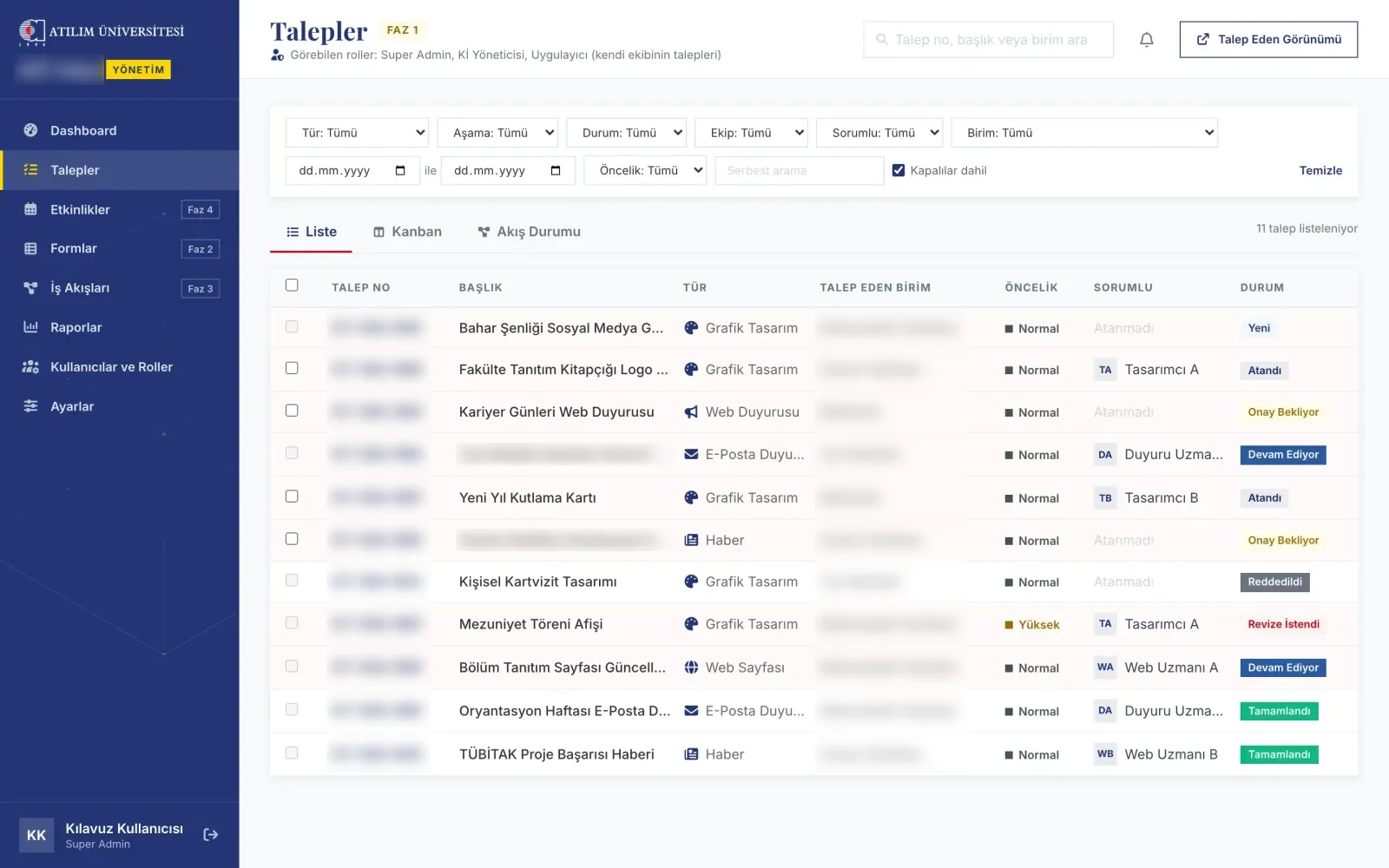
The management dashboard shows pending approvals, delays and team load together; the request list filters by type, unit, assignee and stage. Reports summarise durations by type and unit, the revision rate and compliance with service-time targets.
Measuring events without personal data
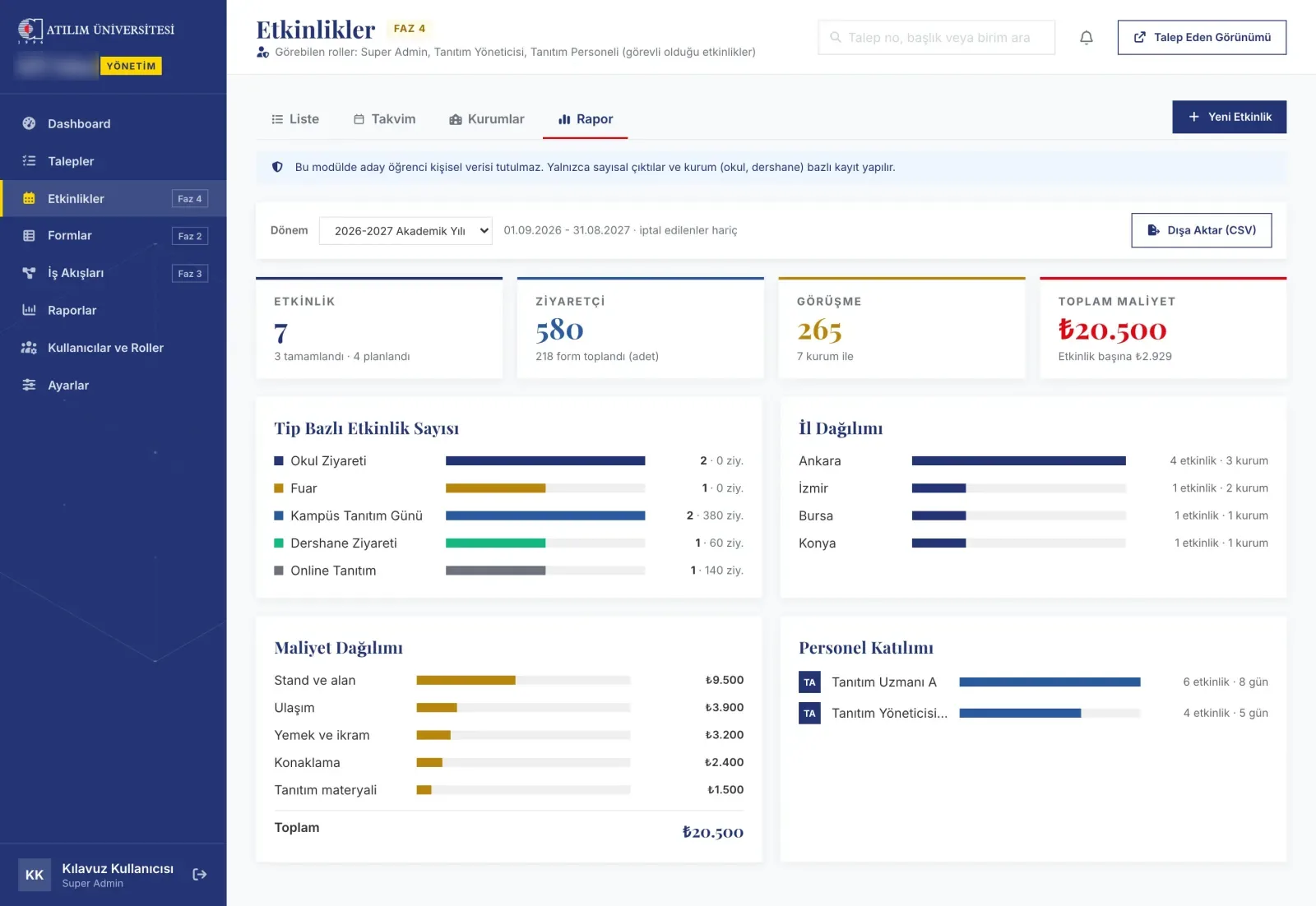
The promotion team wants to see the effect of school visits and fairs, but not to keep prospective student data. The module stores only numeric outputs (visitors, conversations, number of forms collected), records per institution and cost items; the calendar, institution directory and term report work from these.
Role-based visibility and security
The same system is used by requesting staff, managers, delivery teams and the promotion team. Every screen and action is authorised on the server; delivery staff see only their own team's requests, promotion staff only the events they are assigned to. An internal security review was carried out; all findings were fixed and each is covered by an automated test.
Delivery
The requester application, the management panel, the form editor, the visual workflow editor and the promotion events module; five request types with ready-made workflows. Unit, feature and browser tests and static analysis are part of every stage.
Development ran in September 2026, over about two weeks, in this order:
- Documenting the form and workflow schema formats.
- Data layer, schema validator and workflow engine.
- Requester and management screens; kanban and reports.
- Form editor, report export and the visual workflow editor.
- Promotion events module.
- Role-based sign-in and menus, first internal installation.
- Internal security review and hardening.
Current state
In internal testing; not yet launched, development ongoing. Real usage figures (numbers of requests and users) are therefore not given.
What I learned
- Flexibility creates new dependencies. The more freedom the visual editor gave, the more fragile every screen that looked at that structure by name became. Embedding meaning in the structure (stage types) solved today's problem and prepared the system to open up to other units.
- A documented contract buys speed. Writing the schema formats first let the following stages move consistently within a few days.
- Working locally is not enough. The first internal installation surfaced a gap not noticed locally; tying installation to a repeatable script catches such problems early.
- Productivity with AI, but only with discipline. The assistant produces fast; quality came from tests, static analysis and screen checks at every stage. I kept scope, security decisions and release steps to myself.
Showcase
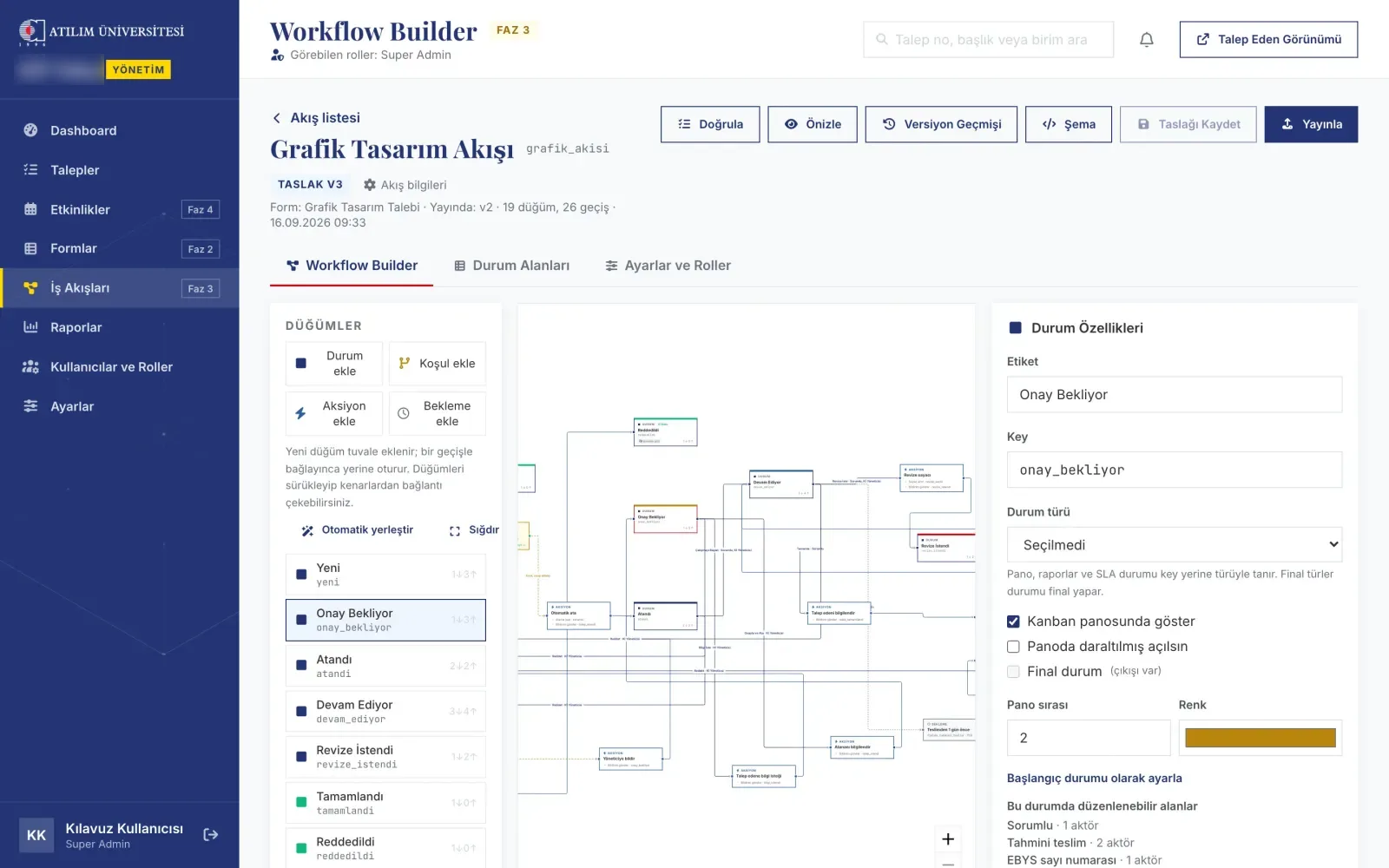 workflow editor
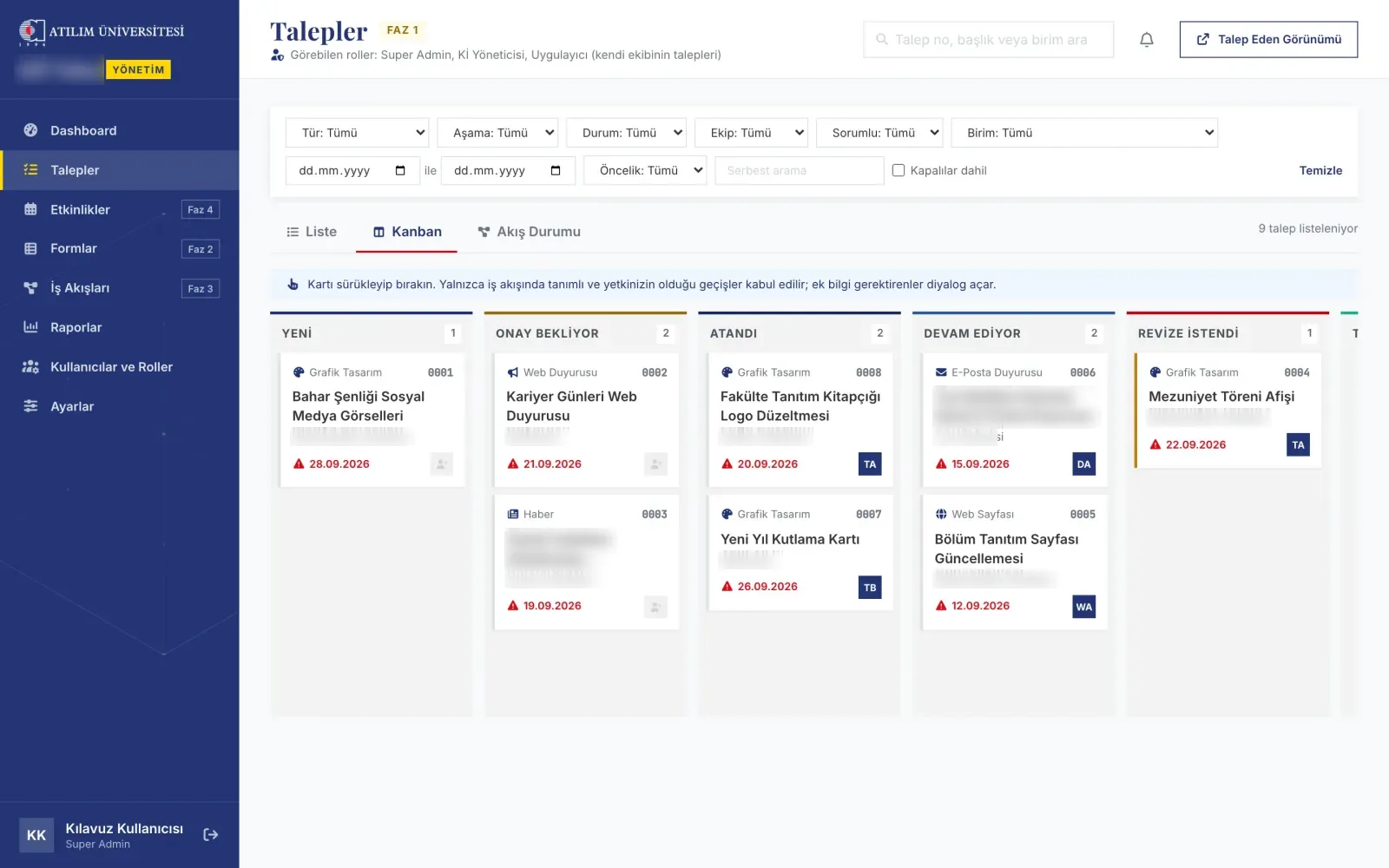 kanban