Fast-food restaurant
Single restaurant · night shift · phone-first ordering
summary
- came in
- An ordering site of its own, and the panel that runs it, for a restaurant open late into the night whose orders were scattered across phone, messaging and delivery platforms, to reduce its dependence on the platforms.
- examined
- The channels orders were scattered across, table and leaflet prices that could not be managed separately, orders missed in a long night shift, distance selling, KVKK and cookie obligations.
- decisions
- A price context set by the QR code, from one source across every surface; delivery locked on in-restaurant QR codes; printed QR codes are archived, never deleted. A phone-first menu and checkout without an account; a calm live order screen for the night, readable from a distance, and a shift start.
- techniques
- Design system, design prototypes that run in the browser (target stack Laravel, Vue, PostgreSQL), dynamic QR codes, derived price lists, an 80 mm kitchen ticket.
Where I looked
Orders were scattered across phone, messaging and delivery platforms. A customer eating in the restaurant saw the same price as one ordering home; there was no way to manage table and leaflet prices separately. The night shift was long and busy; a missed order meant a lost customer.
Most customers arrived from a phone, scanning a QR code on a table or a leaflet. So I looked at two sides: a fast menu and a simple checkout for the user coming from a QR code, and an order screen for the business that stays open all night and reads from a distance. Distance selling, KVKK and cookie consent had to be part of the design from the start.
What I did and delivered
I designed the customer site and the admin panel as prototypes that open in the browser and run on the real menu.
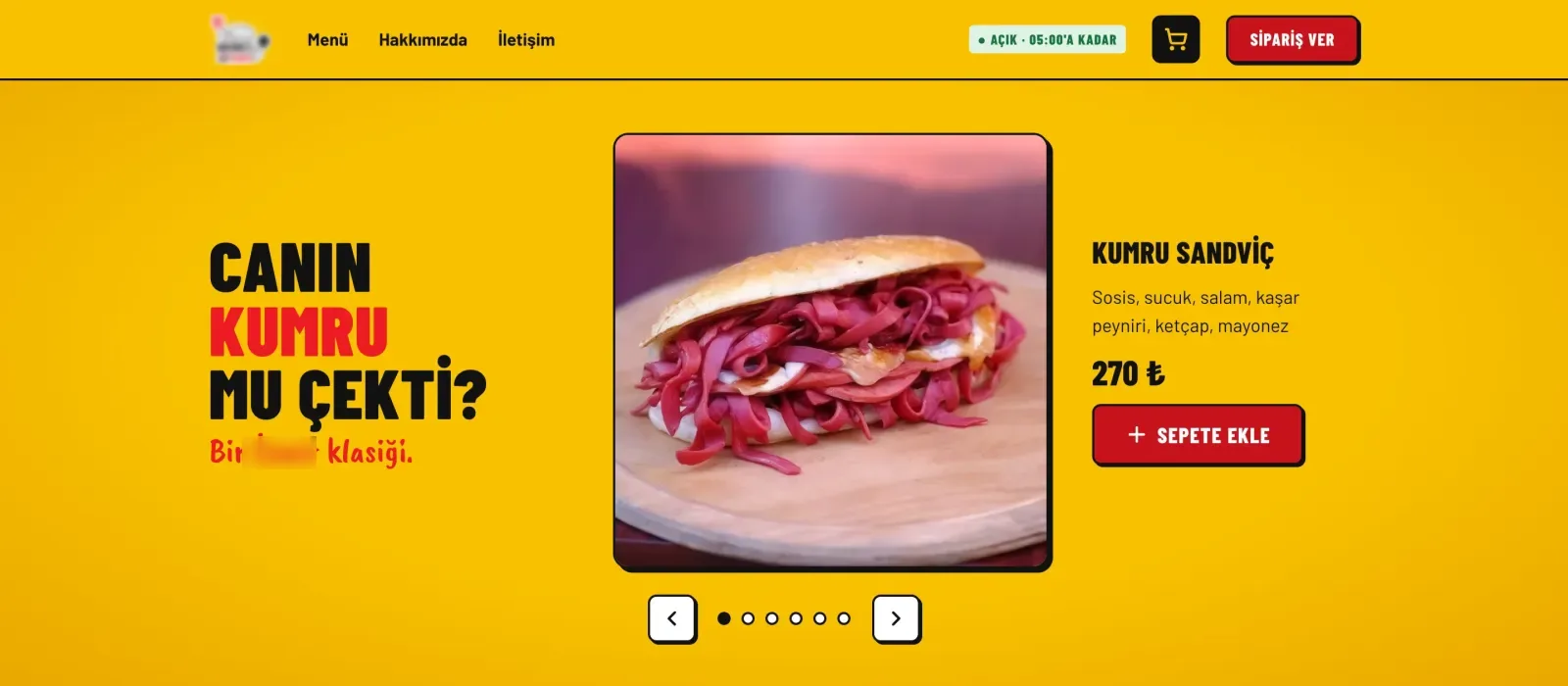
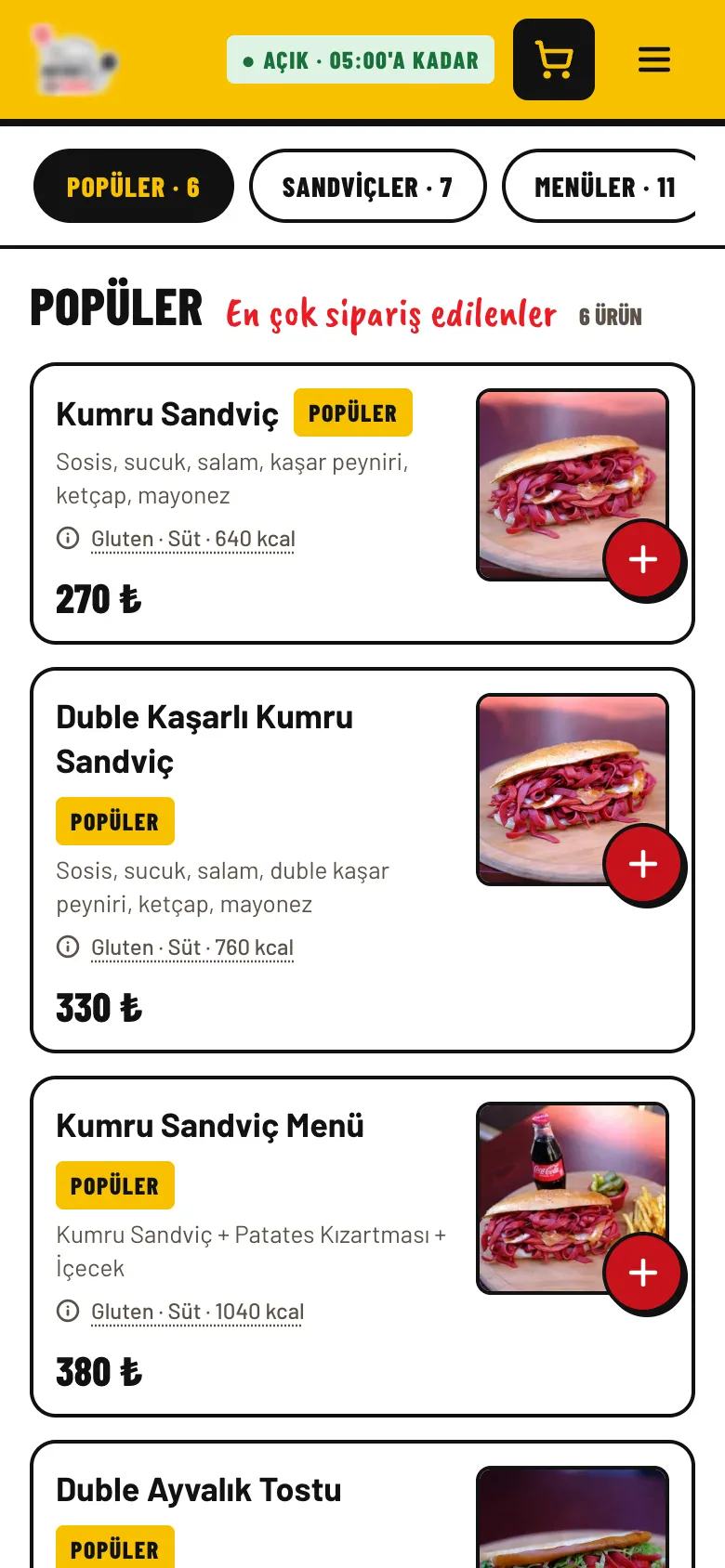
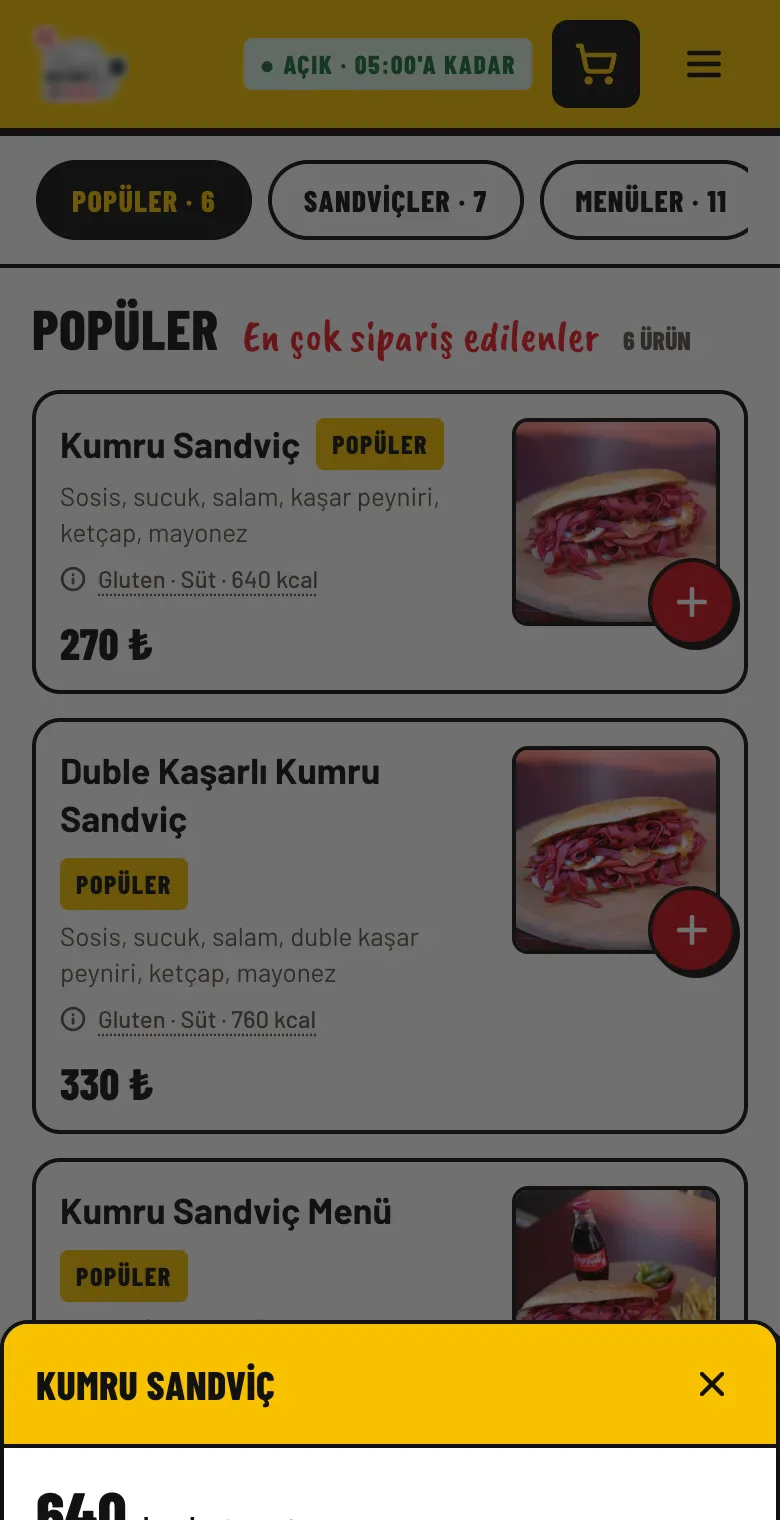
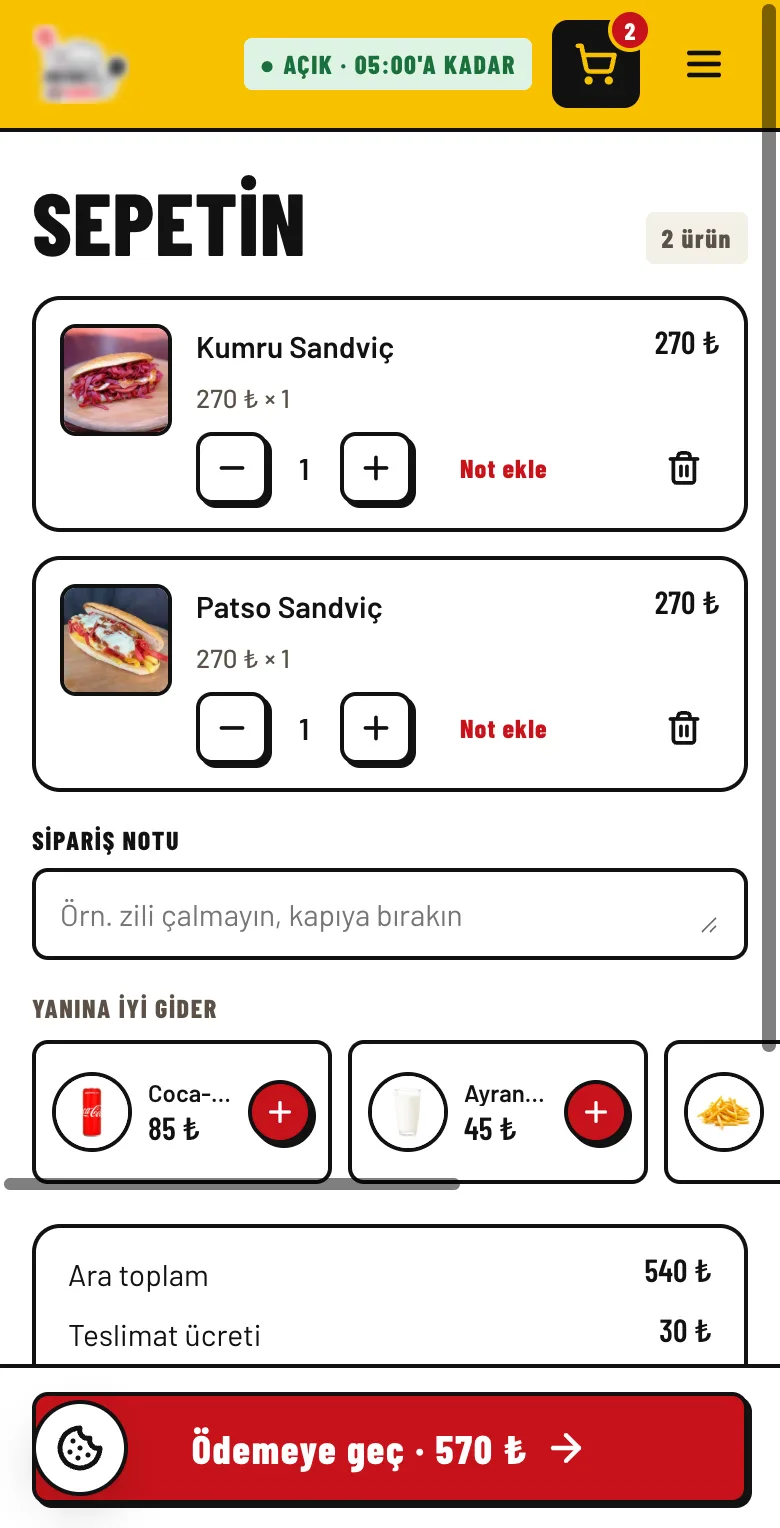
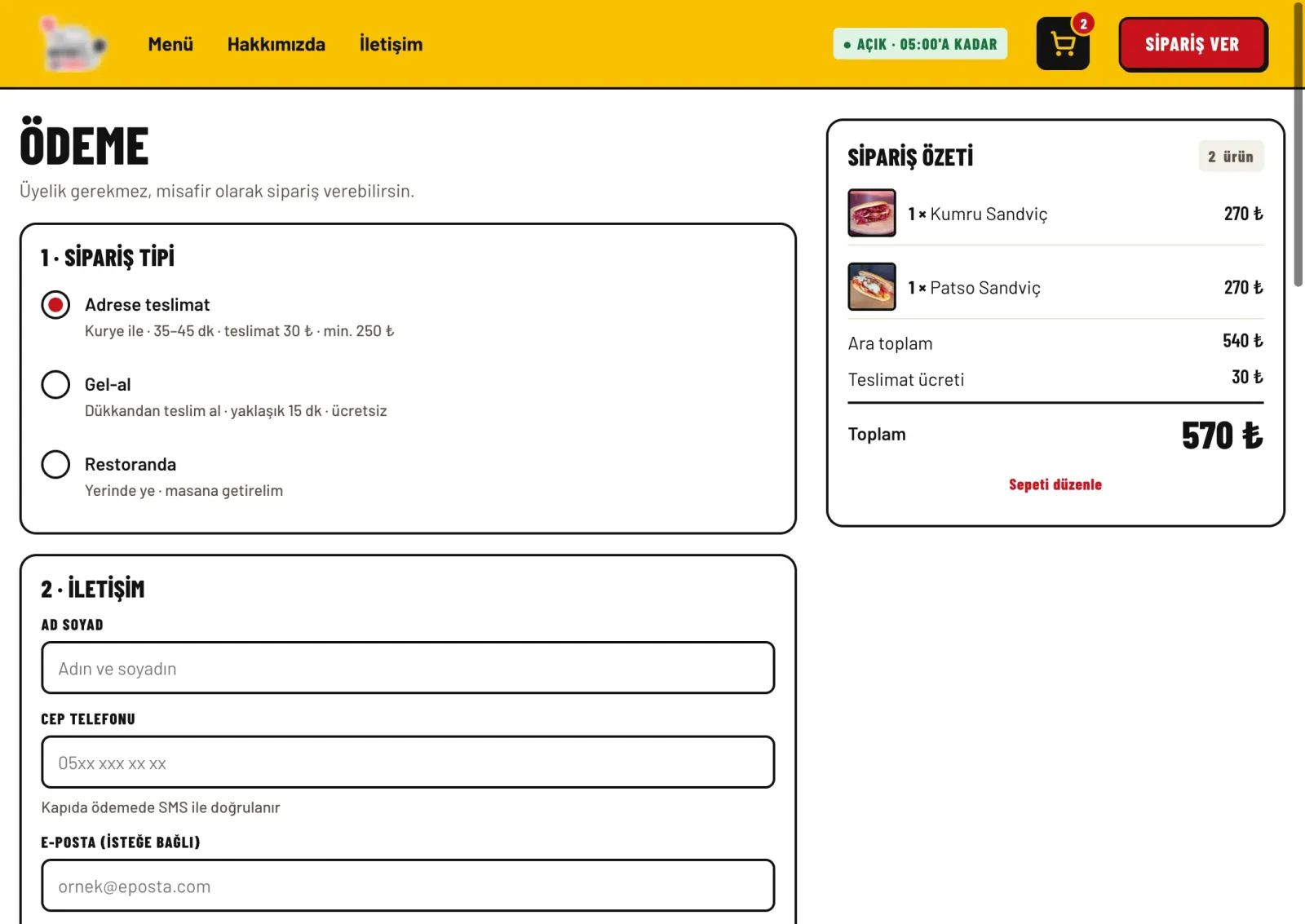
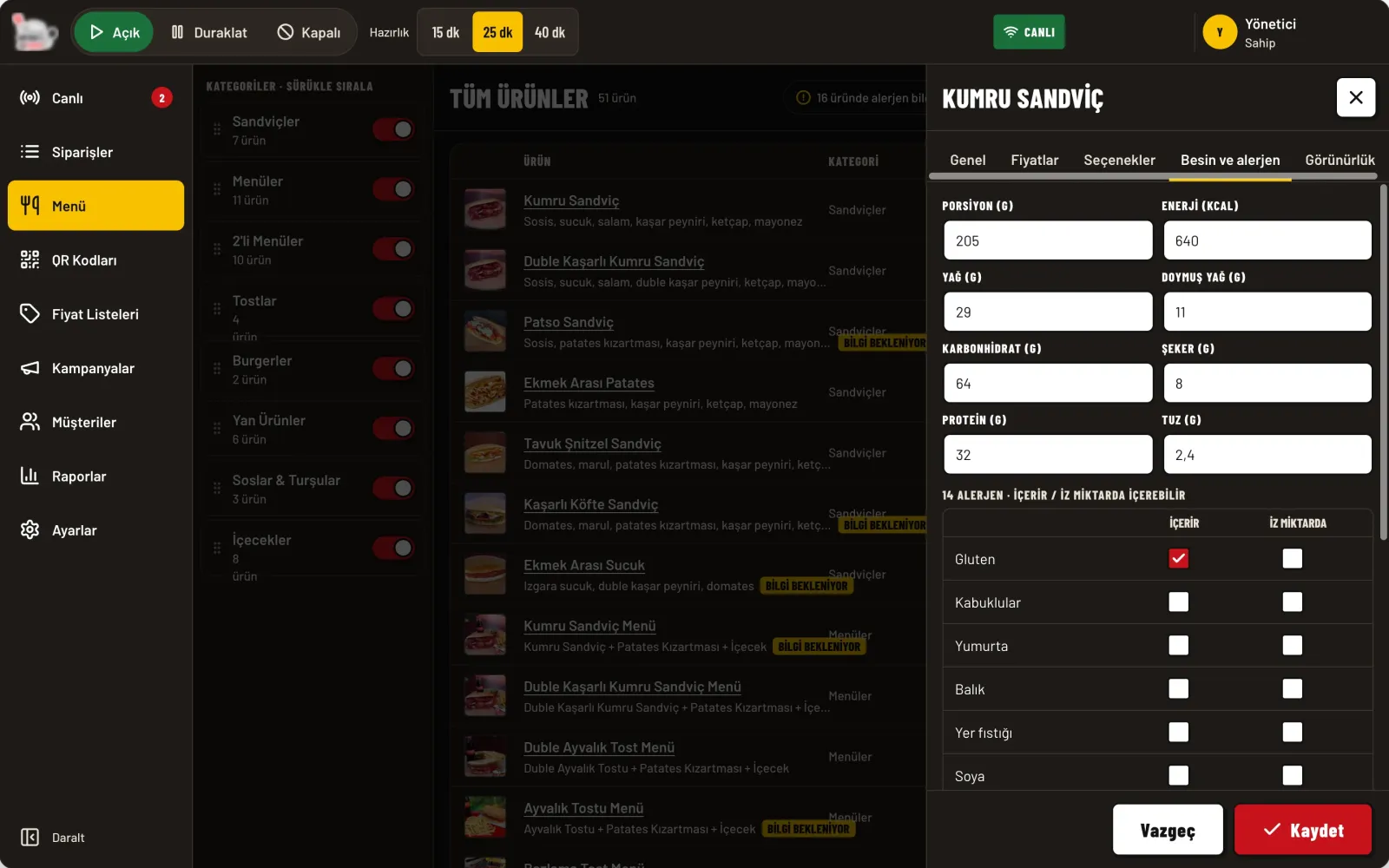
- Customer site. An opening with a rotating line; three menu densities (large, medium, compact); sticky category tabs; a nutrition and allergen panel; cart, guest checkout, order result and cookie management. Every screen was built at phone width first.
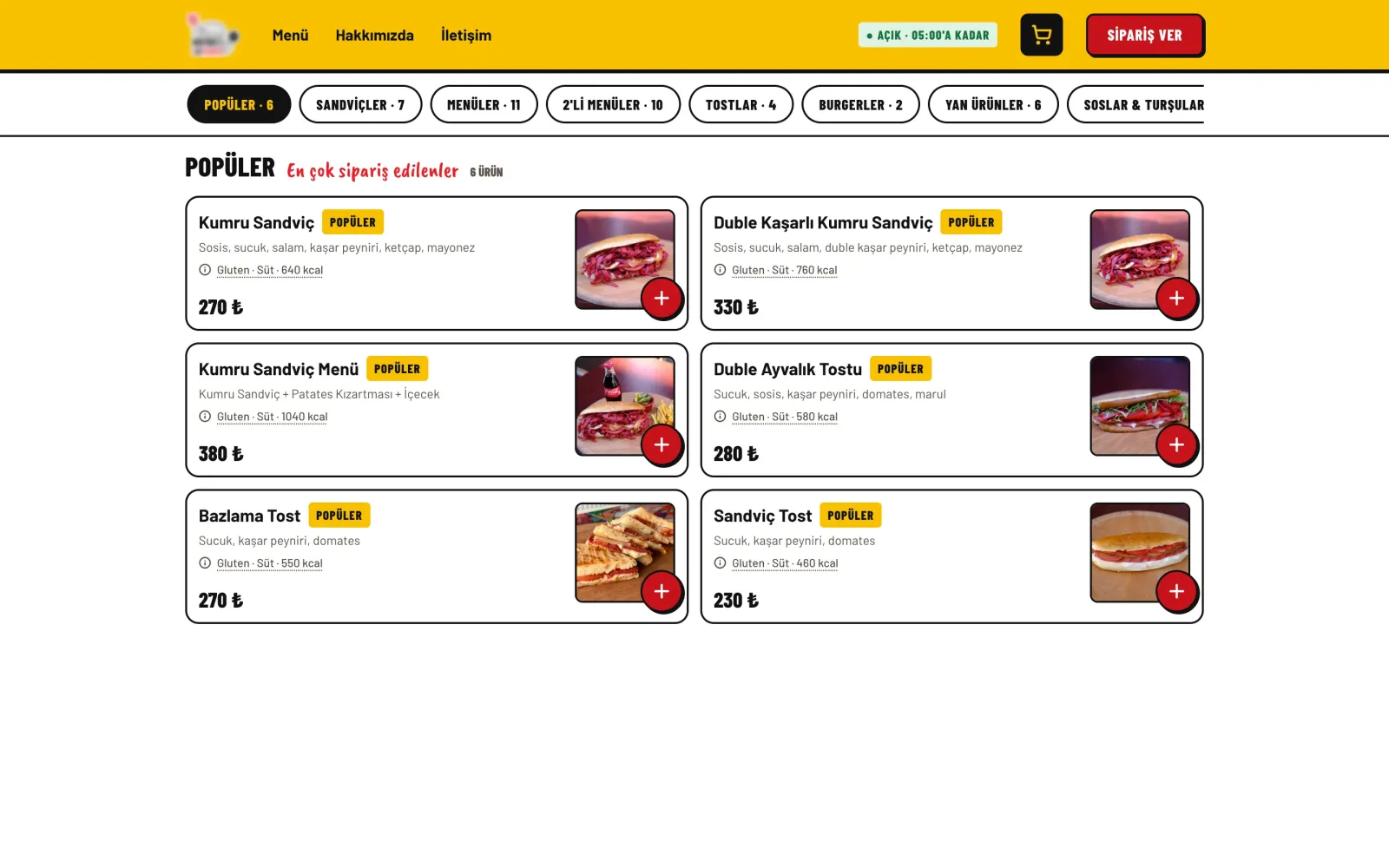
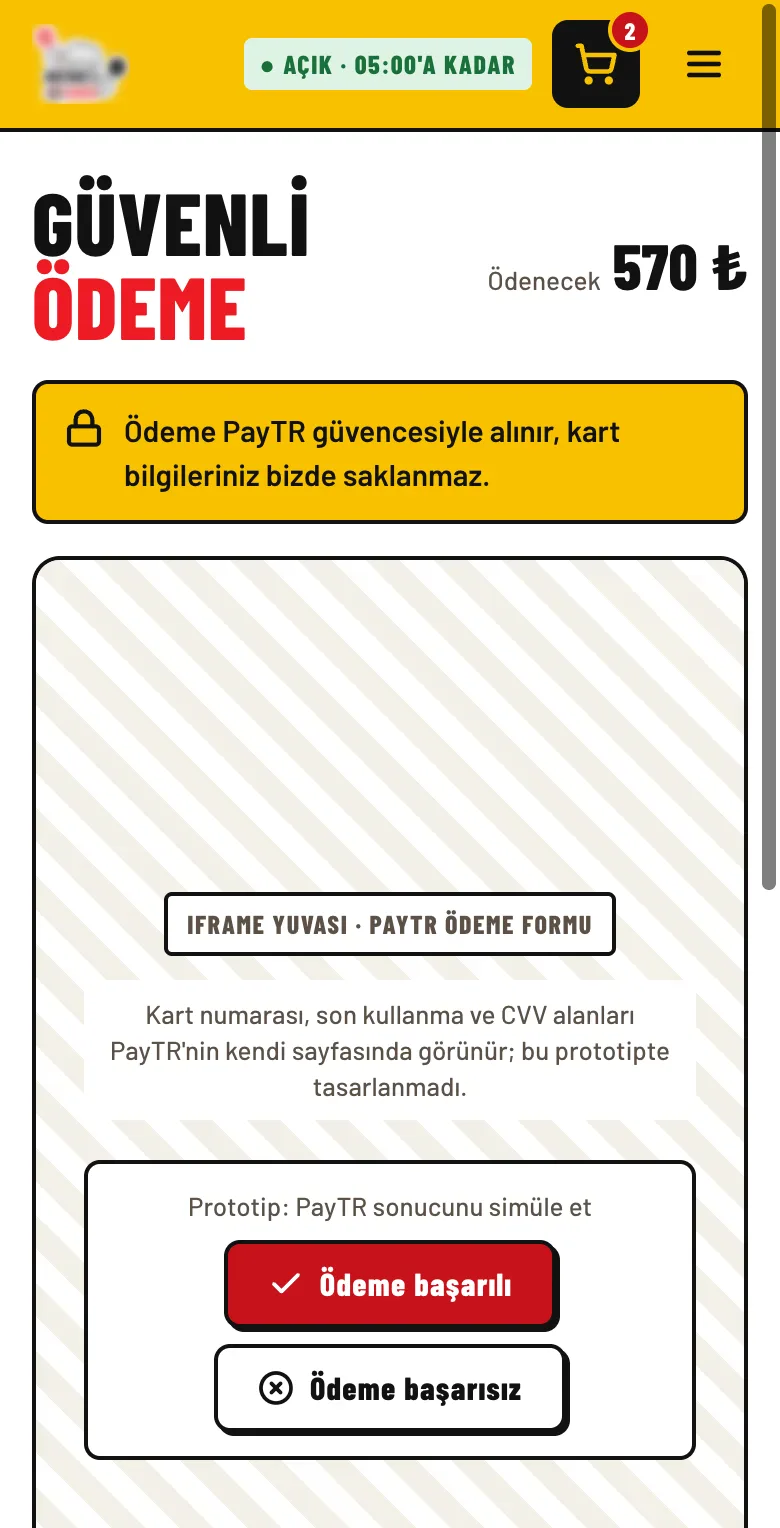
- Payment and legal consents. No account is required; card details are never collected on the site, the payment provider's screen opens in an embedded slot. Cash on delivery verifies the phone with an SMS code.
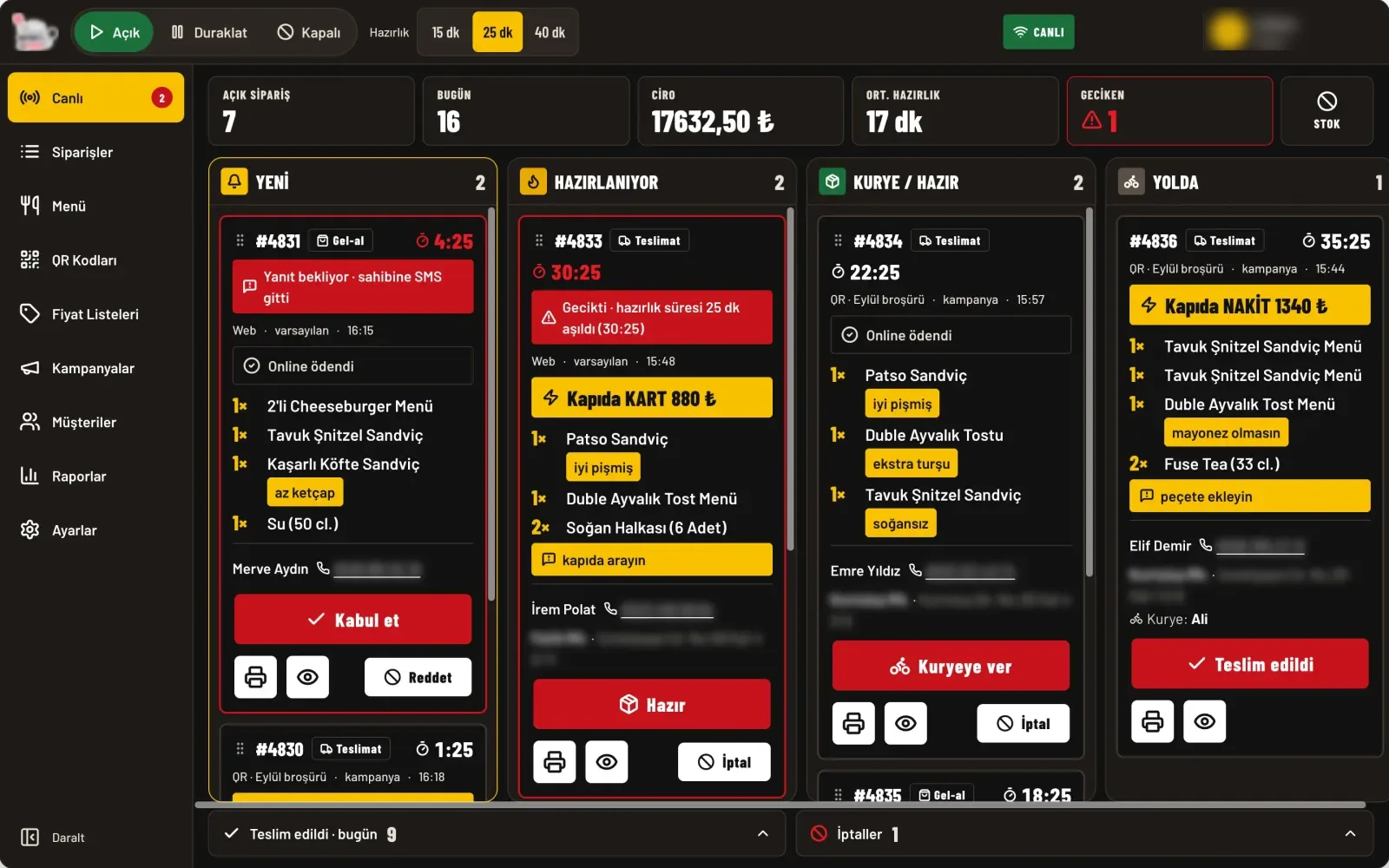
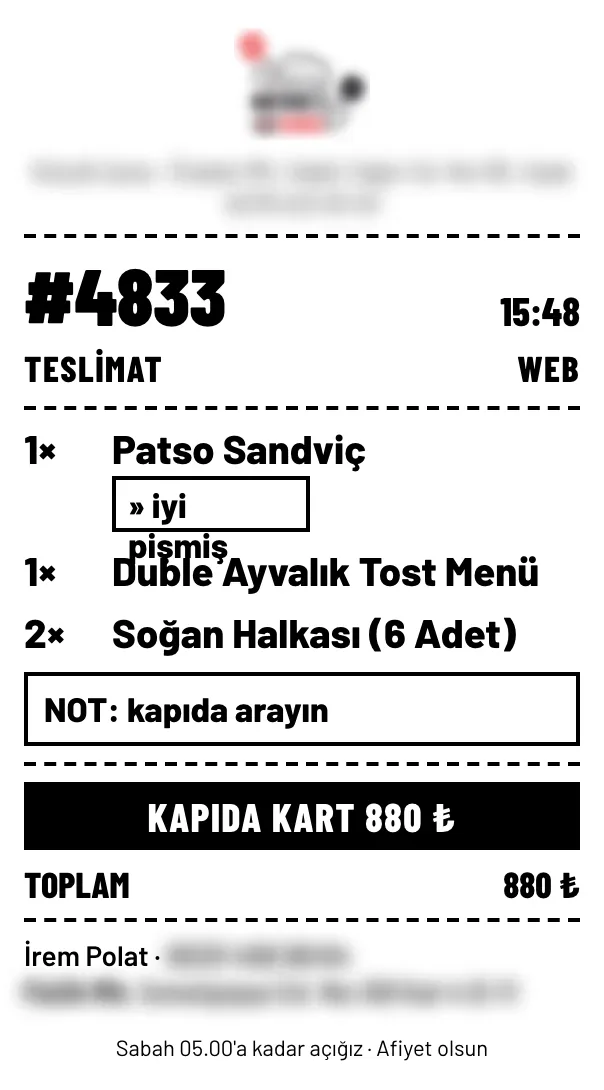
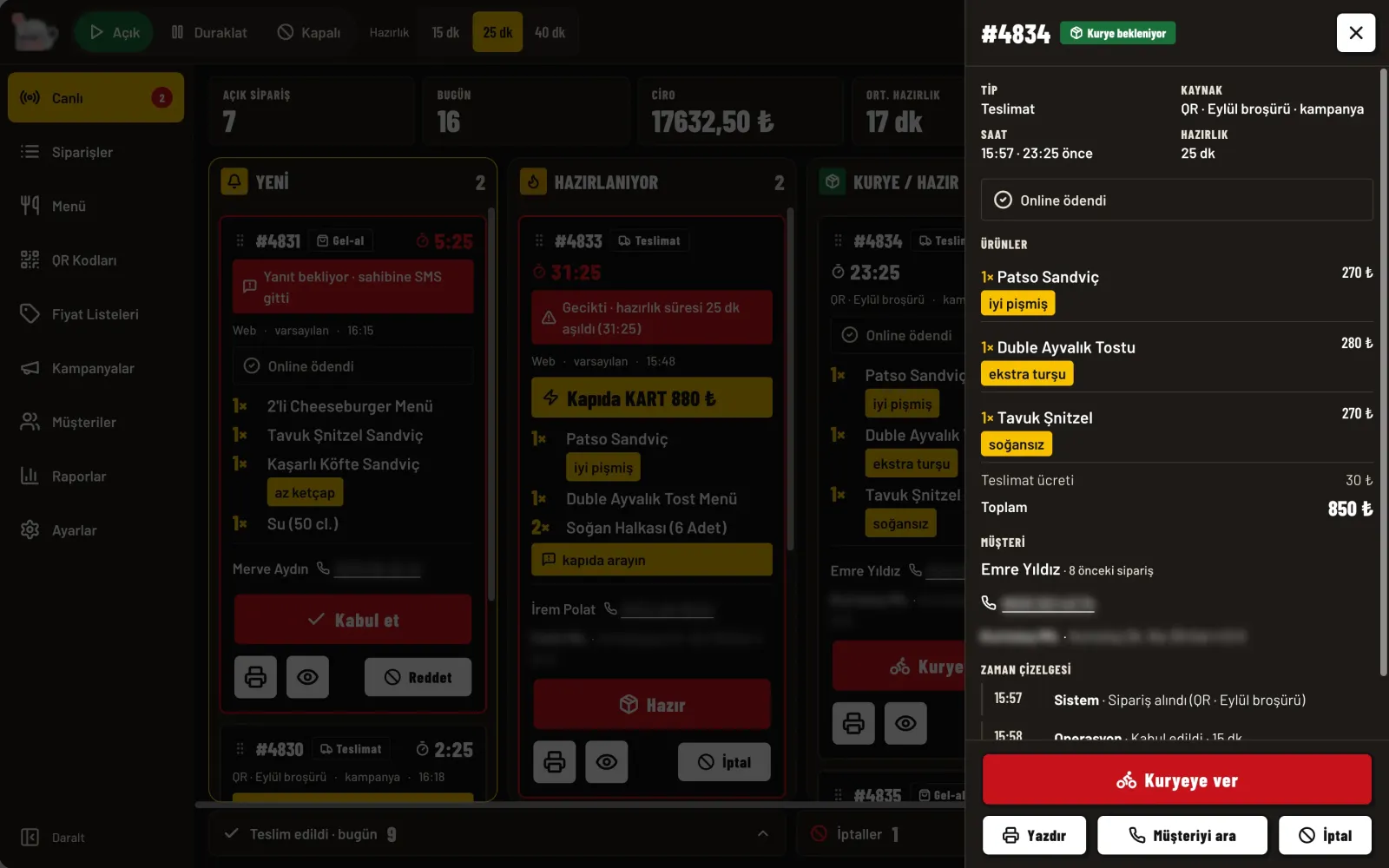
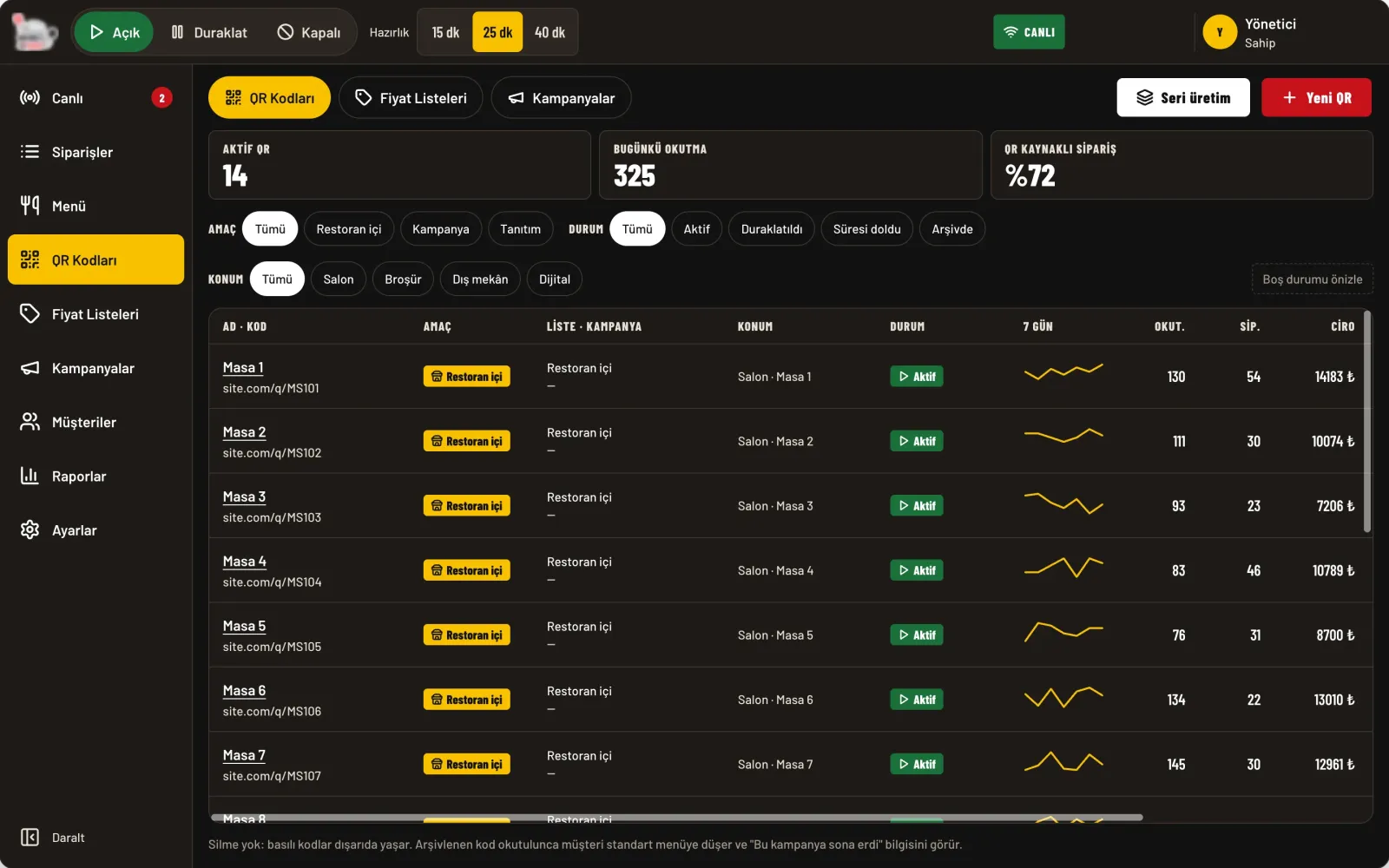
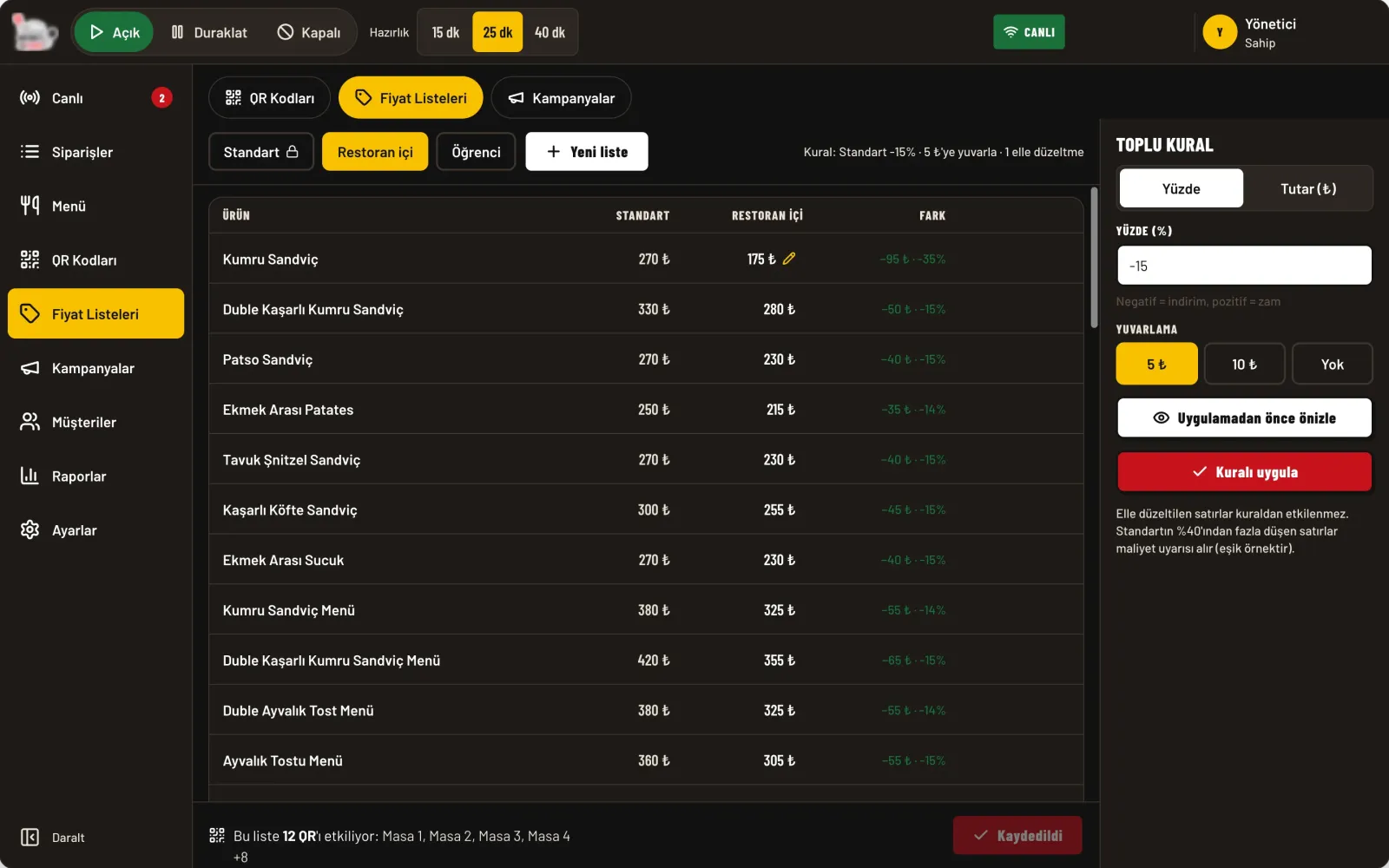
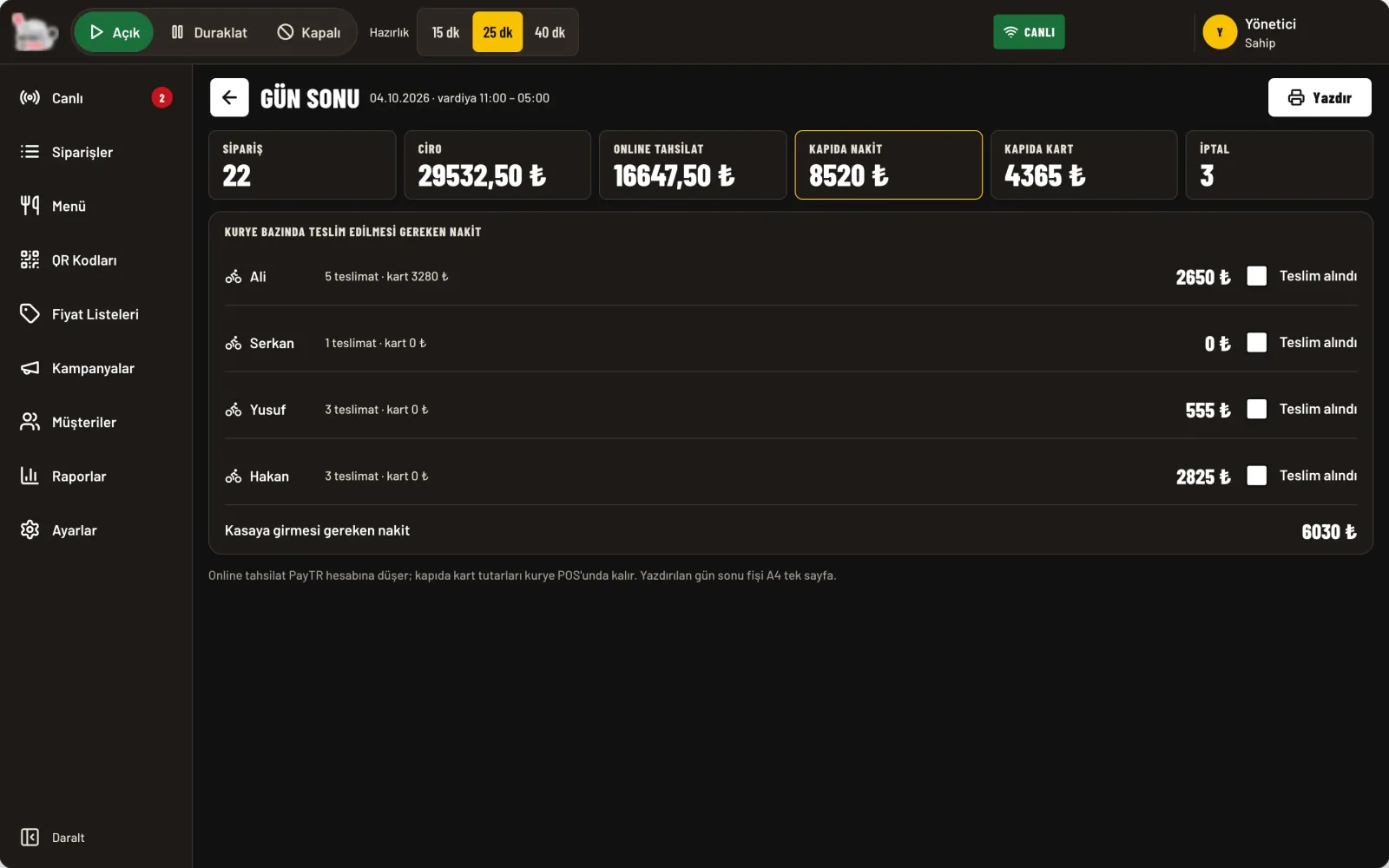
- Admin panel. A live order flow in columns, order detail, an 80 mm kitchen ticket, QR codes and price lists, menu and product form, reports and end of day. The panel was built to work on a tablet and a phone too.
Decisions
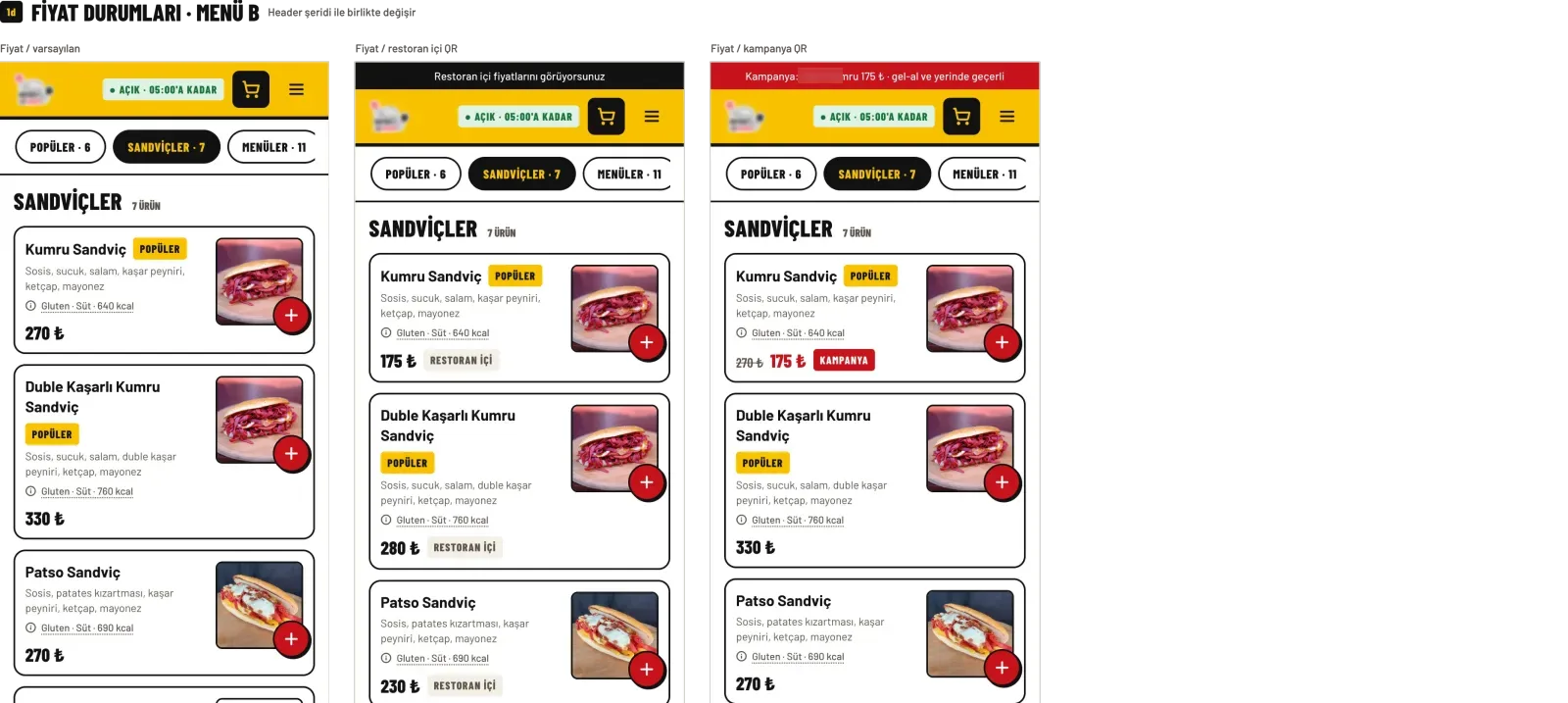
- The QR you came from sets the price. The price context (standard, in-restaurant, campaign) is computed from the same rule on the top strip, product card, cart, checkout, order and ticket. Applied to the menu alone at first, it drifted on the home page and in the cart; gathered into one price rule, everything lined up.
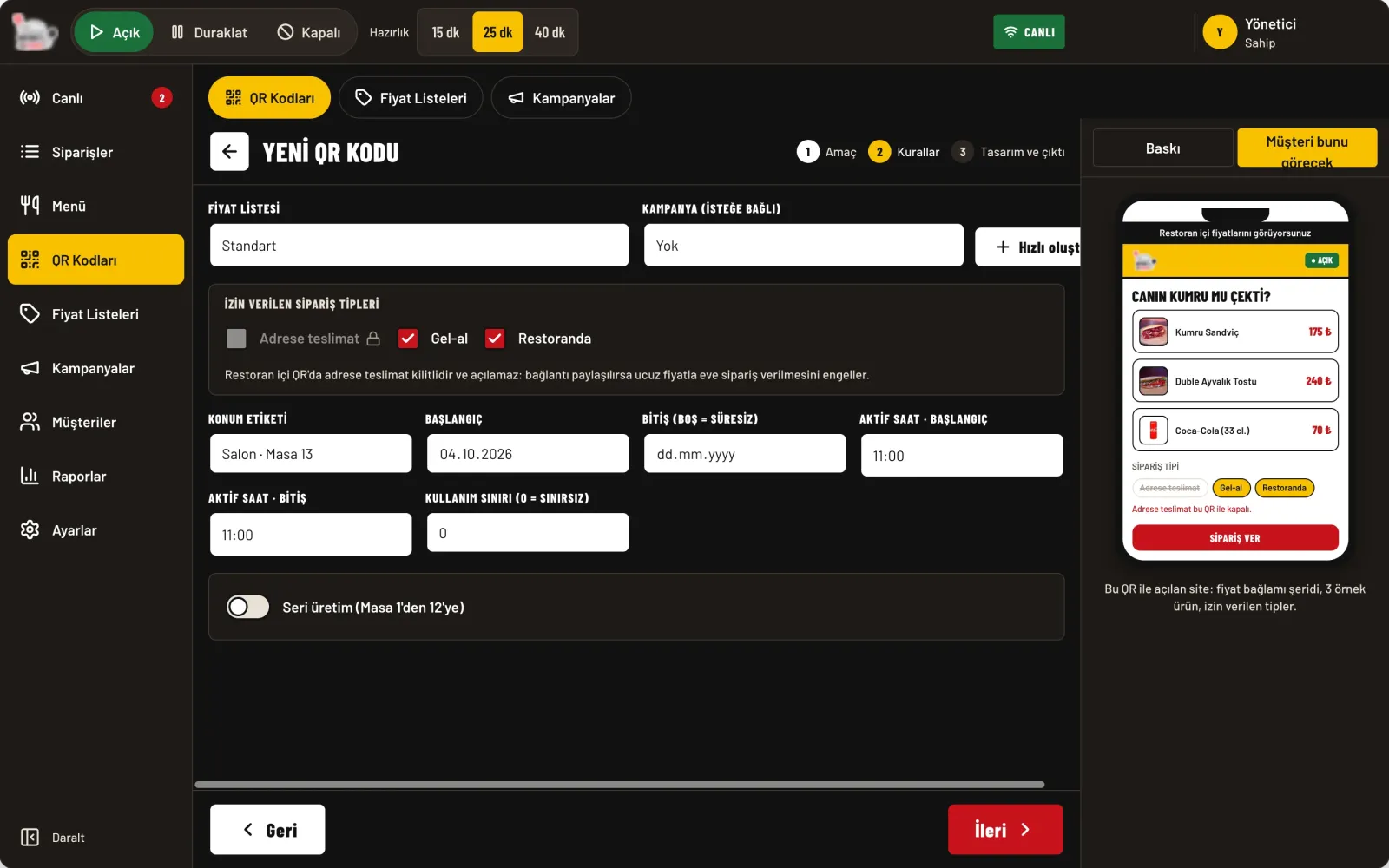
- Preventing misuse of in-restaurant prices. If an in-restaurant QR link were shared, someone could order home at the cheaper price. On that QR, "delivery" is locked and cannot be unlocked; why it is locked is stated in one line in the panel and at checkout.
- The life of a printed code. A QR is archived, never deleted; scanning an archived code falls back to the standard menu and says the campaign has ended. Price lists are derived from the standard list with a bulk rule and can be adjusted per product; before saving, the affected QR codes are shown.
- No order should be missed. Browsers do not play sound without user interaction. The panel opens with a full-screen "start shift" button: it plays a test sound, asks for notification permission and keeps the screen awake. An unanswered order moves to "awaiting response"; if the connection drops, a full-width warning appears.
- One primary action per card. The button changes with the status (accept, ready, hand to courier, delivered); the payment line is the card's second most readable fact. Every action can be undone for a few seconds.
- Status is never colour alone. Every order status is shown with colour, icon and word; red only means late or cancelled.
- A calm panel for the night. The brand's bright ground is tiring on a screen watched for hours; in the panel surfaces are neutral and dark, the brand colour only an accent.
- Legal consents and consent to cookies. The only required checkbox is for pre-contract information and distance selling; KVKK gets an information line, not a box; marketing permissions are separate and unchecked. In the cookie banner "Reject" and "Accept" carry the same weight; related scripts do not load without consent.
- Missing information is not hidden. A product without allergen data shows "information pending" on the site and is flagged in the panel.
- Records are not deleted. Printed QR codes, legal text versions and consent records cannot be edited; they are only archived or given a new version.
- Independent modules. When the scope changed, screens could be simplified and rewired rather than deleted, because the sections were built independently from the start.